


Domain reputation
If a domain’s bounce or spam complaint rate climbs too high, we’ll limit or pause sending for that domain only. Stepping in early helps protect its reputation with inbox providers and keeps deliverability strong for everyone sending through MailerSend. Everything else on your account keeps running as normal while you and our support team get things back on track.
This is especially handy if you send for several brands, products or clients from one account. A spike in bounces on one client’s domain won’t hold up emails for anyone else.
Plan availability
Domain reputation is included on Starter, Professional and Enterprise plans, and during the Professional trial.
On Free and Hobby plans, we track one reputation status for your whole account instead. Find out how that works in Account reputation statuses.
Where to check a domain's reputation
You can check each domain’s reputation in three places:
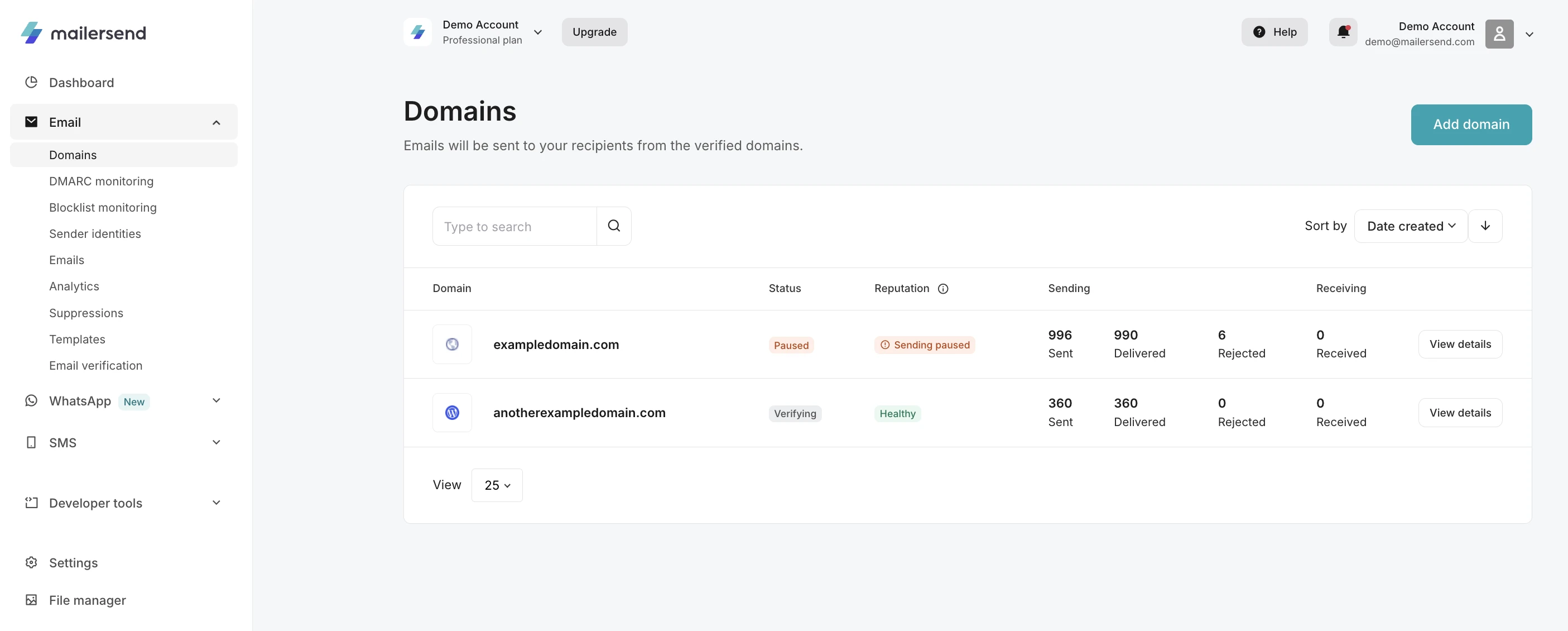
Domains page (Email > Domains): The Reputation column shows a status badge for every domain. Hover the info icon next to the column name for a quick explanation. If a domain’s sending has been paused, you’ll also see Paused in the Status column:
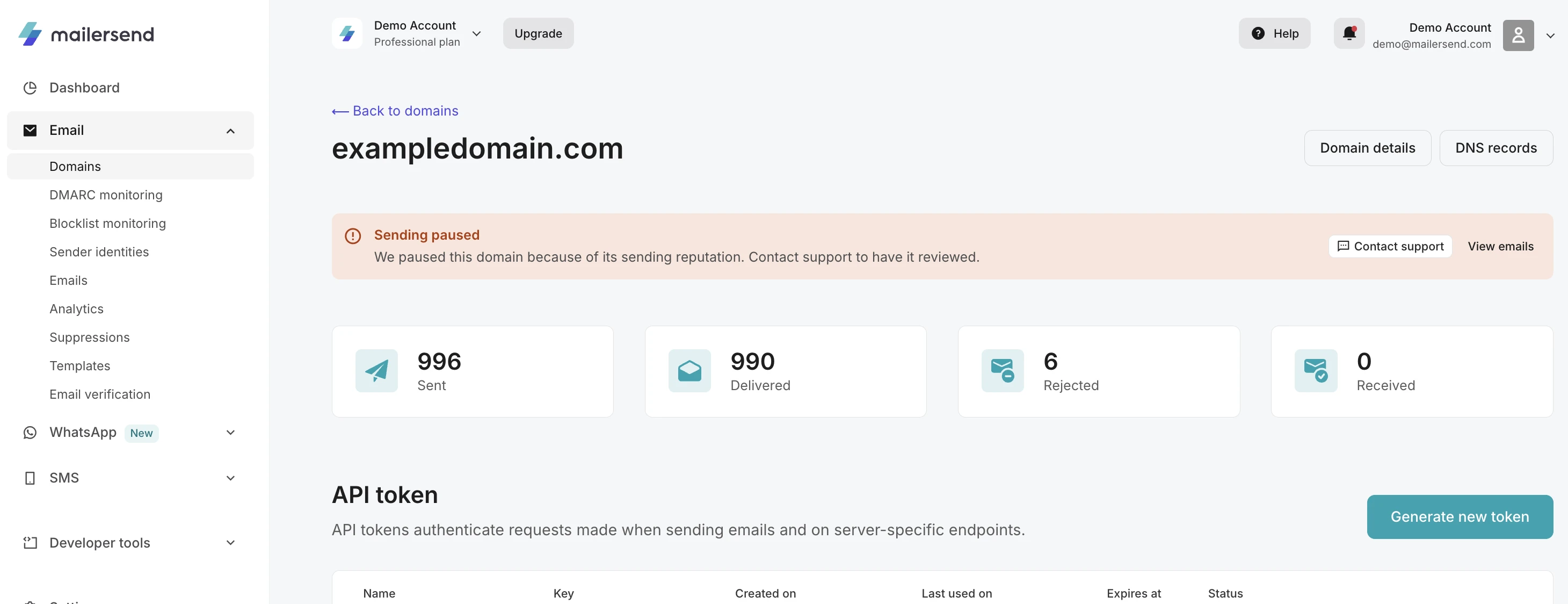
View domain details page (click View details on any domain): If something needs your attention, an alert at the top explains what’s happening. For a paused domain, you’ll see a Sending paused alert with Contact support and View emails buttons:
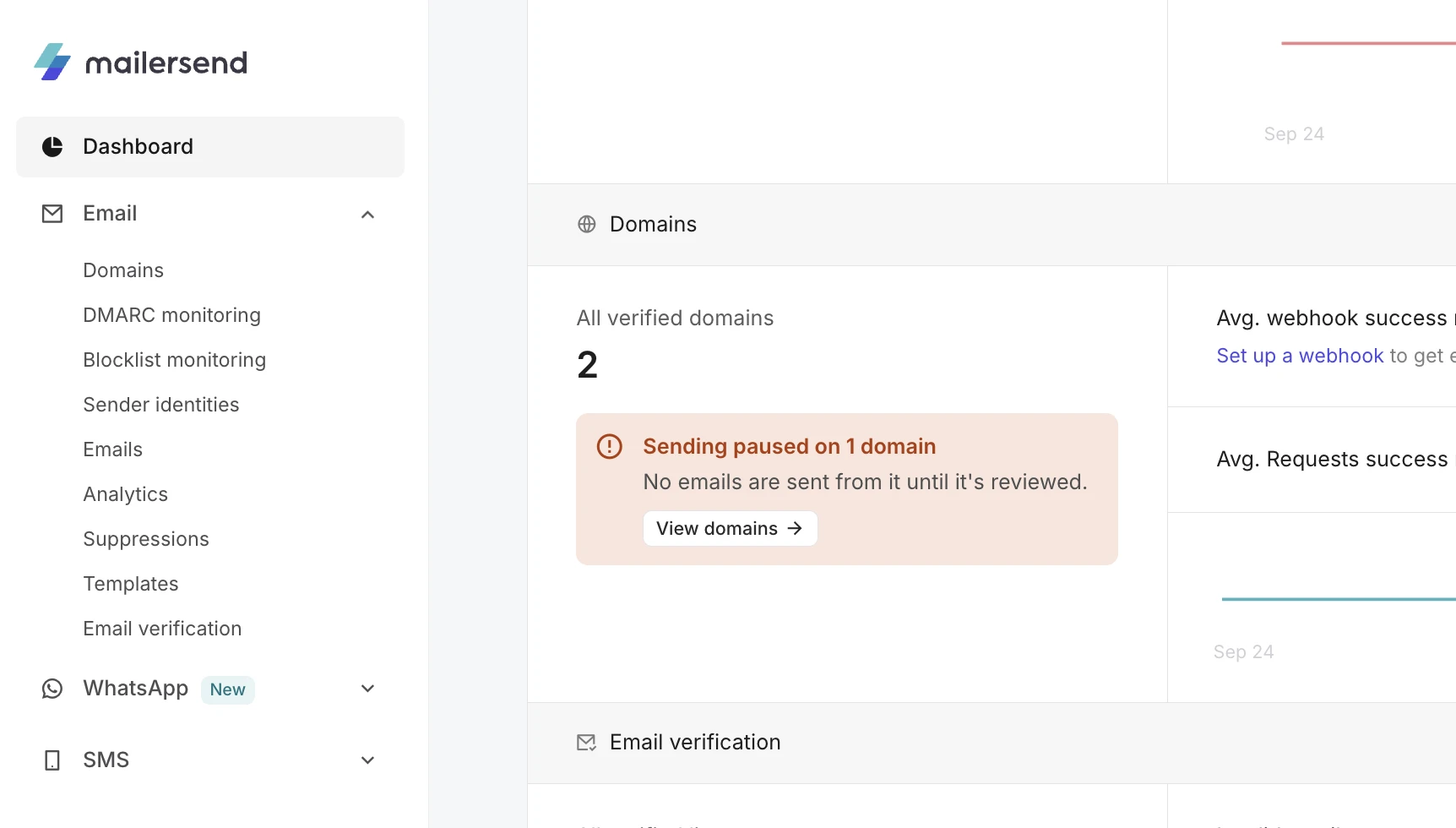
Dashboard: The Domains section shows an alert when a domain needs attention, such as “Sending paused on 1 domain”. Click View domains to go straight to it:
Reputation statuses explained
Here is a list of the possible account reputation statuses, their meaning, and what you can expect.
Status | Description |
Healthy | Your account is in good standing with no current deliverability issues. This status reflects a balance of positive engagement metrics and minimal negative indicators such as bounces and spam complaints. |
Under review | Your account has triggered certain thresholds indicative of potential deliverability problems, such as increased error rates (e.g., 403, 422, 429 responses) or a change in email engagement patterns. A review will be conducted to identify and address these issues. |
Rebuilding | Following a review that identified issues affecting your sender reputation, your account has entered the process of restoring to a healthy status. Continued adherence to best practices and improvement in key metrics will facilitate this transition. |
Sending paused | Activities from your account have been temporarily halted due to significant concerns regarding sending practices or reputation. During this period, our team will be in touch to guide you through the necessary steps for resolution. |
A domain’s status only applies to that domain, so your other domains can carry on sending while you look into the issue. If one gets paused, reach out to us and we’ll help you get it sending again.
If your domain is paused
When a domain is paused because of its reputation, we’ll email your account owners and admins to let them know. You’ll also see a Sending paused badge on the Domains page and an alert on the domain page. Sending from that domain stays on hold until our team has taken a look, and we’ll help you get things moving again.
To get your paused domain reviewed
Go to Domains and open the paused domain.
Click Contact support in the alert. This opens a chat with our team, with a message about your domain already filled in.
If you know what caused the problem, let us know, along with anything you’ve already done to fix it. For example, you might have cleaned up your recipient list or fixed a broken signup form.
Once we’ve reviewed and resumed your domain, it moves to Rebuilding and can start sending again.
A reputation pause can only be lifted by our team. The Resume sending option on the domain page only works for domains you’ve paused yourself.
Tip: While a domain is Under review or Rebuilding, it’s a great time to give your list some attention. Remove addresses that hard bounce, make sure your recipients are expecting your emails and keep your unsubscribe link easy to find. Our guides on hard and soft bounces, spam complaints and reducing unsubscribe rates are full of practical tips.
What happens when you change plans
If you move to the Free or Hobby plan, or cancel your subscription, your account goes back to having one reputation status for all your sending. If any of your domains are paused, they’ll need a quick review from our team before they can send again, so just reach out and we’ll help.
Switching plans doesn’t reset a domain’s status, so if you upgrade again later, your domains pick up where they left off.
Get notified when a domain’s status changes
Account owners and admins will get an email whenever a domain’s reputation needs attention. If you’d like to track changes in your own systems too, you can set up a webhook for the domain.reputation_changed event, which fires each time a domain’s status changes. There’s also an account.reputation_changed event for your account status. Our Webhooks guide shows you how to set one up.
Need more info?
Feel free to reach out to support@mailersend.com. A member of our support team will gladly assist you.