


WhatsApp transactional messaging API
Connect with more customers via the fast, global reach of the world’s leading messaging app using the MailerSend WhatsApp API. Access from your MailerSend account.

Official WhatsApp Business API partner


Ready-made infrastructure
No need to build your own complex system. Integrate fast with our hosted API endpoints, webhooks, monitoring, and security.

Faster onboarding and approval
Get up and running quickly with guided setup, account notifications, and built-in tools to manage your WhatsApp account and phone numbers.

WhatsApp compliance by design
From GDPR compliance to WhatsApp template guidelines and messaging rules, compliance is built in so you can send with confidence.
The cherry on top of your messaging stack
Optimize your transactional strategy with secure, instant, personalized messaging that increases loyalty, builds trust, and drives business growth.
Launch faster with our API
curl -X POST 'https://api.mailersend.com/v1/whatsapp/send' \
  -H 'Authorization: Bearer YOUR_API_TOKEN' \
  -H 'Content-Type: application/json' \
  -d '{
    "from": "YOUR_PHONE_NUMBER",
    "to": ["RECIPIENT_PHONE_NUMBER"],
    "template_id": "TEMPLATE_ID",
    "personalization": [
          {
            "to": "RECIPIENT_PHONE_NUMBER",
            "data": {
              "body": [
                "body_var_1",
                "body_var_2"
              ]
            }
          }
        ]
  }'
<?php
use MailerSend\MailerSend;
use MailerSend\Helpers\Builder\WhatsappParams;
use MailerSend\Helpers\Builder\WhatsappPersonalization;
$mailersend = new MailerSend(['api_key' => 'YOUR_API_TOKEN']);
$whatsappParams = (new WhatsappParams())
->setFrom('YOUR_PHONE_NUMBER')
->setTo(['RECIPIENT_PHONE_NUMBER'])
->setTemplateId('TEMPLATE_ID')
->setPersonalization([
(new WhatsappPersonalization('RECIPIENT_PHONE_NUMBER'))
->setBody(['body_var_1', 'body_var_2']),
]);
$mailersend->whatsapp->send($whatsappParams);import { MailerSend, WhatsAppParams, WhatsAppPersonalization } from 'mailersend'
const mailersend = new MailerSend({
apiKey: 'YOUR_API_TOKEN',
})
const whatsappParams = new WhatsAppParams()
.setFrom('YOUR_PHONE_NUMBER')
.setTo(['RECIPIENT_PHONE_NUMBER'])
.setTemplateId('TEMPLATE_ID')
.setPersonalization([
new WhatsAppPersonalization('RECIPIENT_PHONE_NUMBER')
.setBody(['body_var_1', 'body_var_2']),
])
await mailersend.whatsapp.send(whatsappParams)from mailersend import MailerSendClient, WhatsAppBuilder
from mailersend.models.whatsapp import WhatsAppPersonalization, WhatsAppPersonalizationData
ms = MailerSendClient(api_key='YOUR_API_TOKEN')
personalization = WhatsAppPersonalization(
to='RECIPIENT_PHONE_NUMBER',
data=WhatsAppPersonalizationData(
body=['body_var_1', 'body_var_2'],
)
)
request = (
WhatsAppBuilder()
.from_number('YOUR_PHONE_NUMBER')
.add_recipient('RECIPIENT_PHONE_NUMBER')
.template_id('TEMPLATE_ID')
.add_personalization(personalization)
.build()
)
response = ms.whatsapp.send(request)
print(response)import com.mailersend.sdk.MailerSend;
import com.mailersend.sdk.exceptions.MailerSendException;
import com.mailersend.sdk.whatsapp.WhatsAppPersonalization;
MailerSend ms = new MailerSend();
ms.setToken('YOUR_API_TOKEN');
try {
WhatsAppPersonalization personalization = new WhatsAppPersonalization('RECIPIENT_PHONE_NUMBER')
.setBody(new String[]{'body_var_1', 'body_var_2'});
String messageId = ms.whatsapp().builder()
.from('YOUR_PHONE_NUMBER')
.addRecipient('RECIPIENT_PHONE_NUMBER')
.templateId('TEMPLATE_ID')
.addPersonalization(personalization)
.send();
System.out.println(messageId);
} catch (MailerSendException e) {
e.printStackTrace();
}package main
import (
"context"
"fmt"
"log"
"time"
"github.com/mailersend/mailersend-go"
)
func main() {
ms := mailersend.NewMailersend("YOUR_API_TOKEN")
ctx := context.Background()
ctx, cancel := context.WithTimeout(ctx, 5*time.Second)
defer cancel()
message := ms.WhatsApp.NewMessage()
message.SetFrom("YOUR_PHONE_NUMBER")
message.SetTo([]string{"RECIPIENT_PHONE_NUMBER"})
message.SetTemplateId("TEMPLATE_ID")
personalization := []mailersend.WhatsAppPersonalization{
{
To: "RECIPIENT_PHONE_NUMBER",
Data: mailersend.WhatsAppPersonalizationData{
Body: []string{"body_var_1", "body_var_2"},
},
},
}
message.SetPersonalization(personalization)
res, err := ms.WhatsApp.Send(ctx, message)
if err != nil {
log.Fatal(err)
}
fmt.Println(res.Header.Get("X-Message-Id"))
}require "mailersend-ruby"
ms_client = Mailersend::Client.new('YOUR_API_TOKEN')
# Initialize the WhatsApp class
ms_whatsapp = Mailersend::WhatsApp.new(ms_client)
ms_whatsapp.add_from('YOUR_PHONE_NUMBER')
ms_whatsapp.add_to('RECIPIENT_PHONE_NUMBER')
ms_whatsapp.add_template_id('TEMPLATE_ID')
personalization = {
to: 'RECIPIENT_PHONE_NUMBER',
data: {
body: ['body_var_1', 'body_var_2'],
}
}
ms_whatsapp.add_personalization(personalization)
ms_whatsapp.send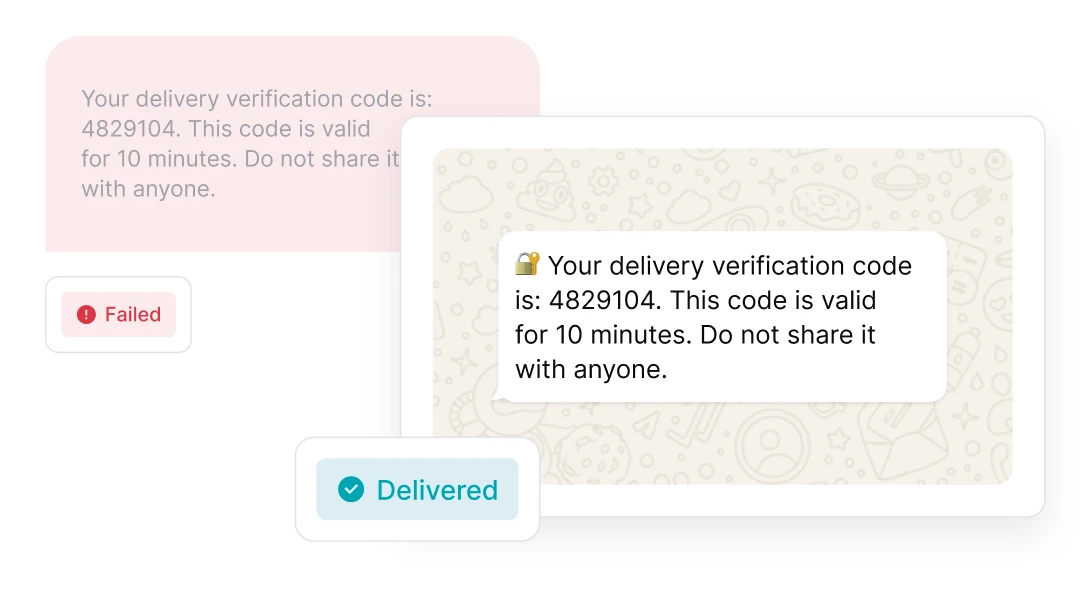
Your reliable backup for delivery
Ensure time-sensitive messages always get delivered. Use email, SMS and WhatsApp to build a failsafe system that automatically uses multiple channels.
Simplified WhatsApp onboarding and verification
-
![]()
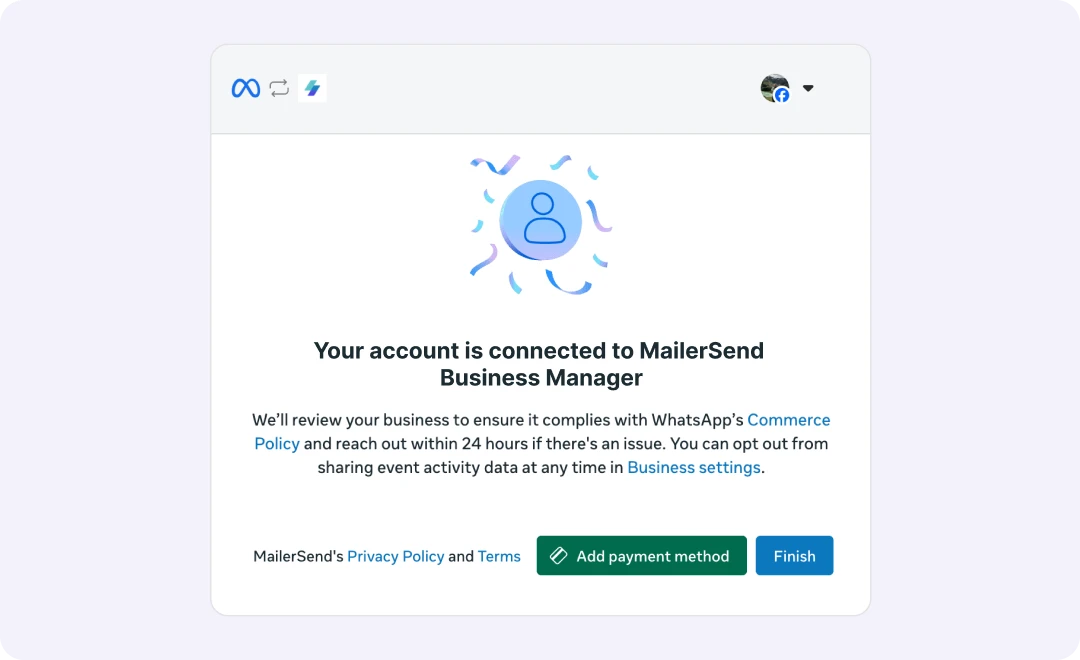
Easy account connection
Connect your WhatsApp Business account and phone number in minutes via the guided steps. -
![]()
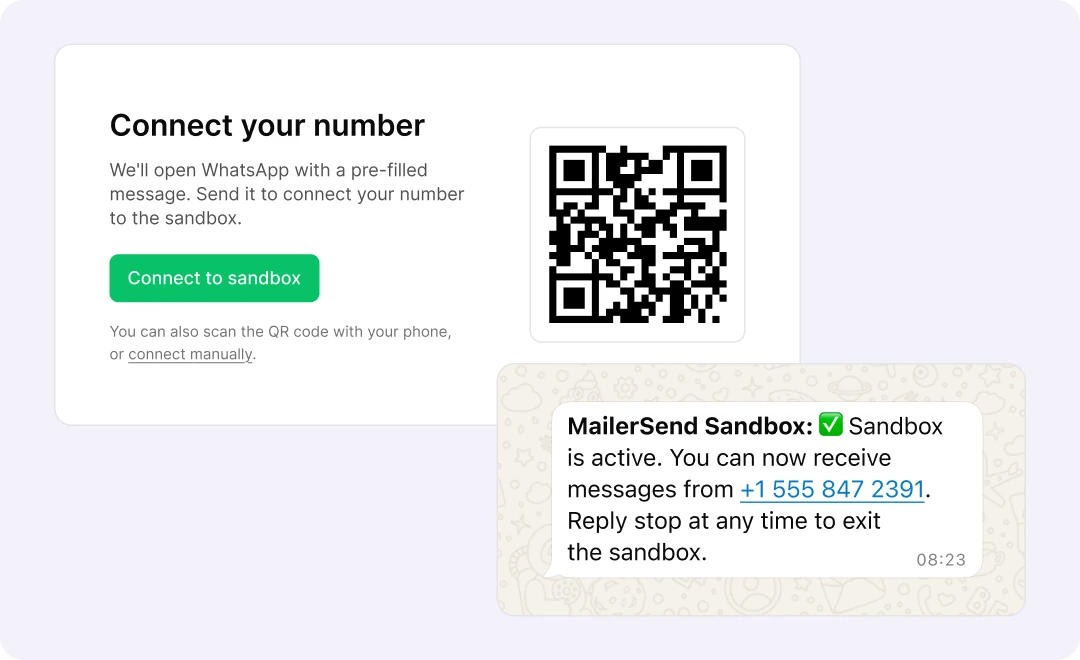
Dedicated WhatsApp sandbox
Start testing in seconds in the sandbox environment, with up to 20 test messages per day that you can trigger in-app or by API call. -
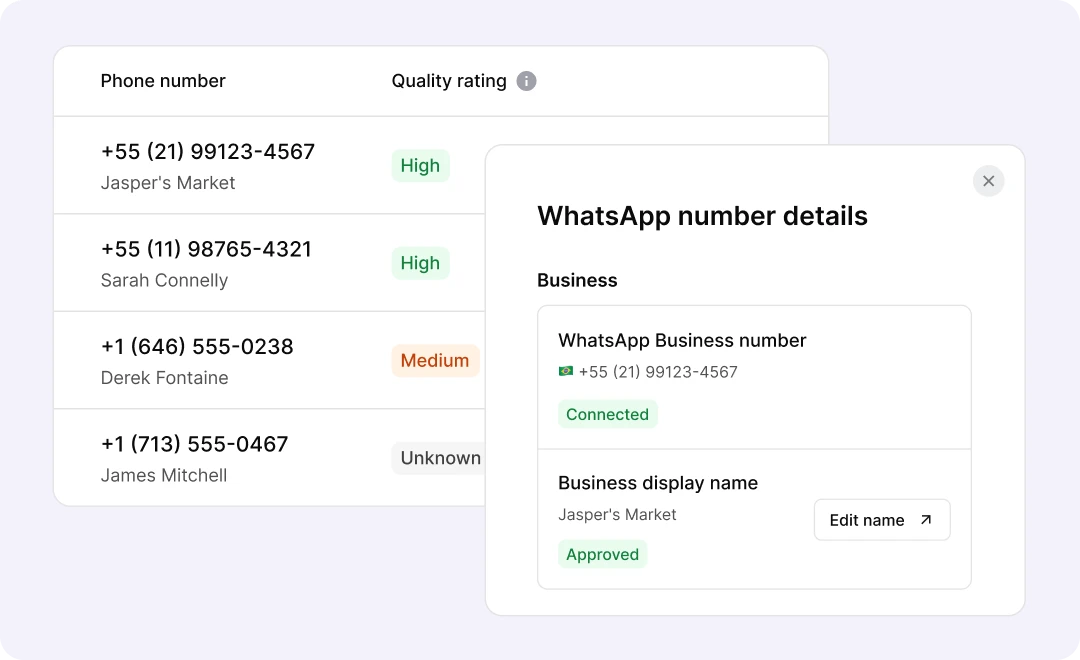
![]()
Quick Meta Business access
Easily view and manage your WhatsApp number details and find quick links to manage your account.


Built-in template management and approval
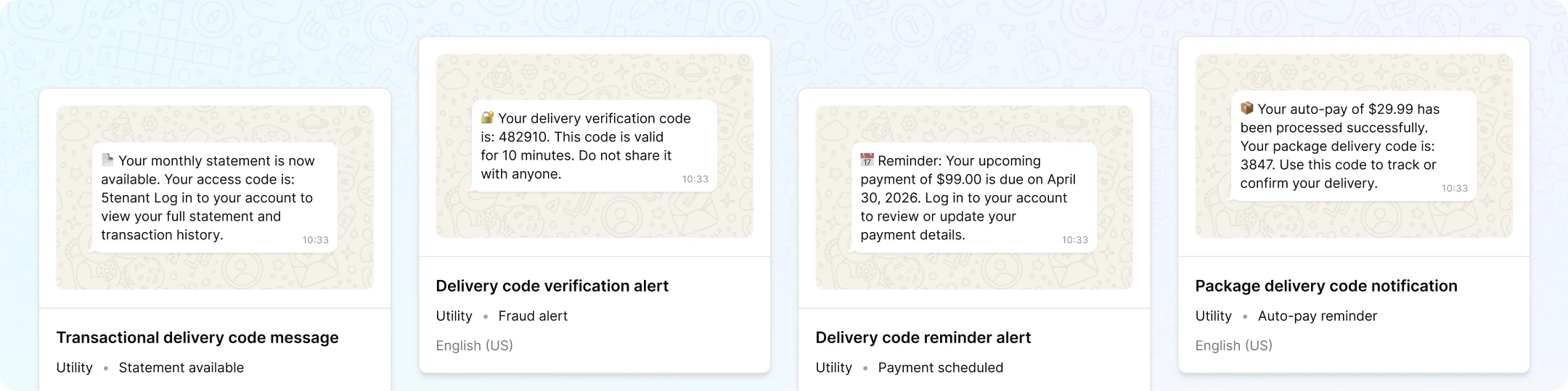

Pre-approved template library
Get a head start with our library of 147 Meta-approved, multilingual templates for order confirmations, OTPs, payment reminders, and more.

Meta templates synced for you
Templates created in Meta are automatically synced to your MailerSend account, giving you the freedom to use your existing templates.

In-app approval and quality tracking
Submit templates, view approval status, and monitor quality score from the templates page without needing to check in Meta.
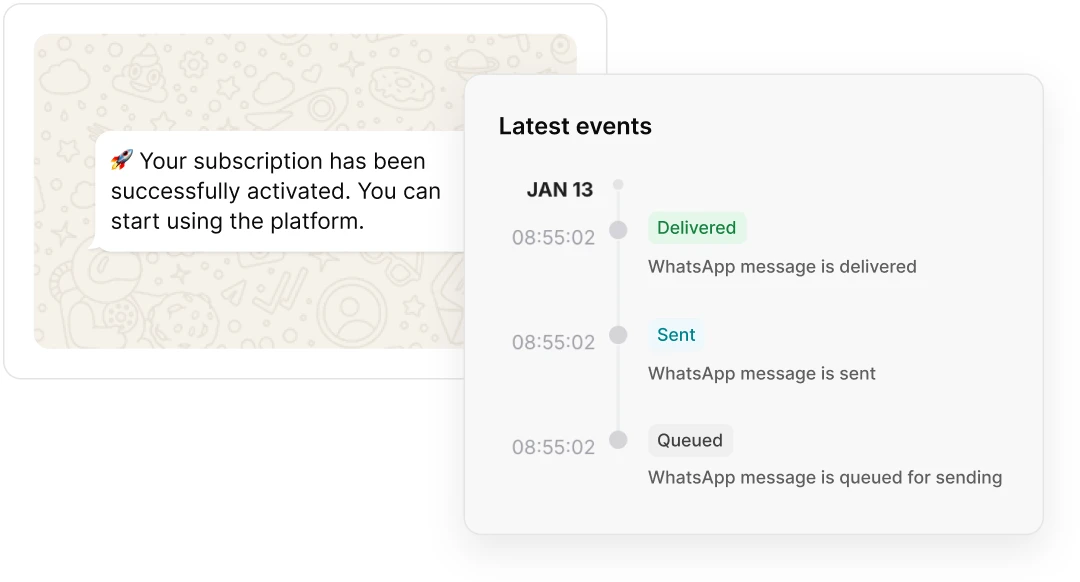
Follow every message in motion
See the status of every message from queued to delivered, with full message details and activity timeline. Filter activity by sender number, recipient, template, and status.
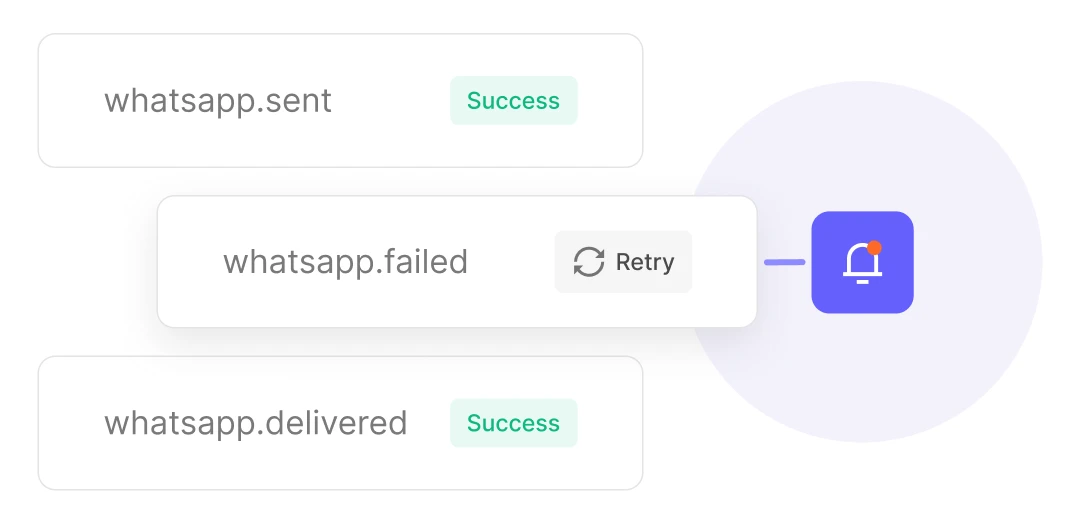
Automate with real-time events
Get real-time notifications with webhooks for sent, delivered and failed messages. Build failover workflows, log activity in internal systems, and monitor delivery performance.
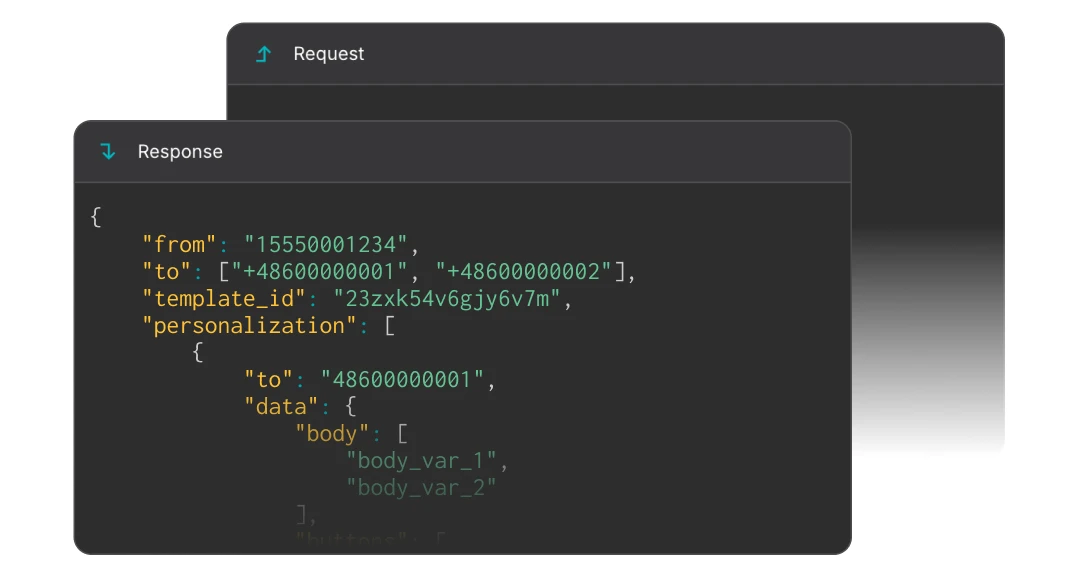
Full visibility into every API request
Debug faster with API logs that give you a detailed breakdown of each API call, including the full request and response.
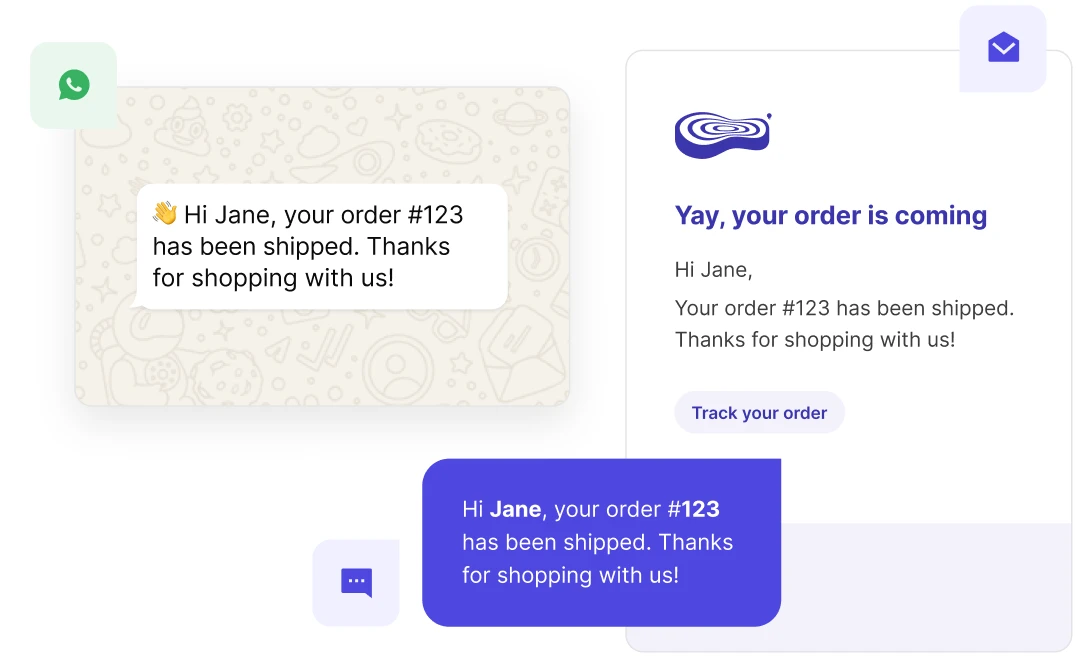
From notifications to conversations
-
![]()
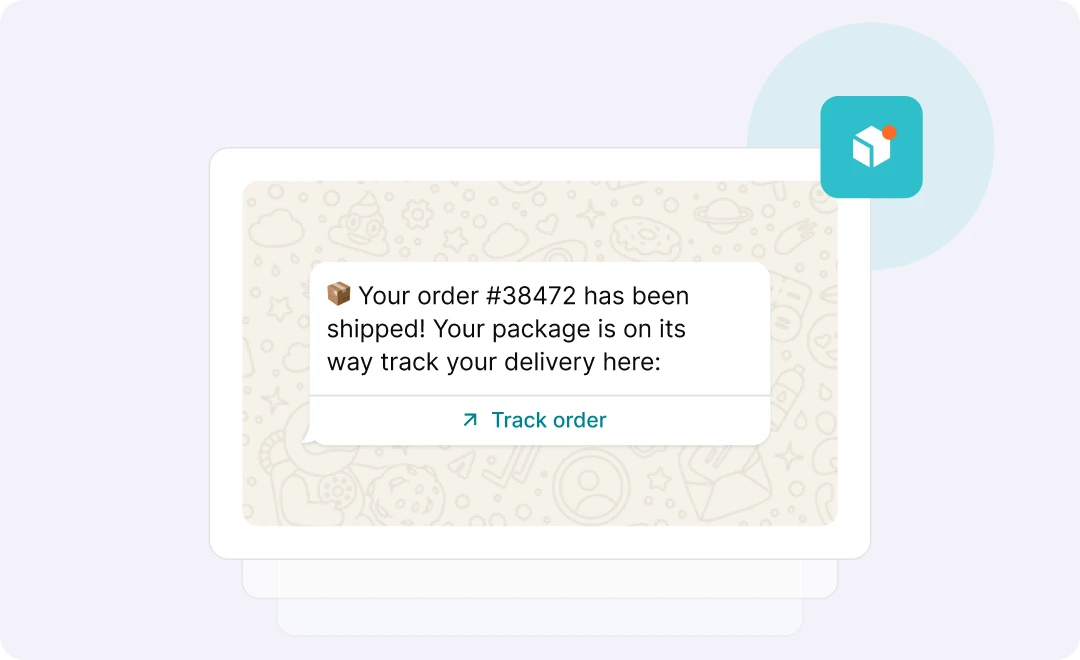
E-commerce and service notifications
Send shipping updates, appointment reminders, payment confirmations, fraud alerts and more. -
![]()
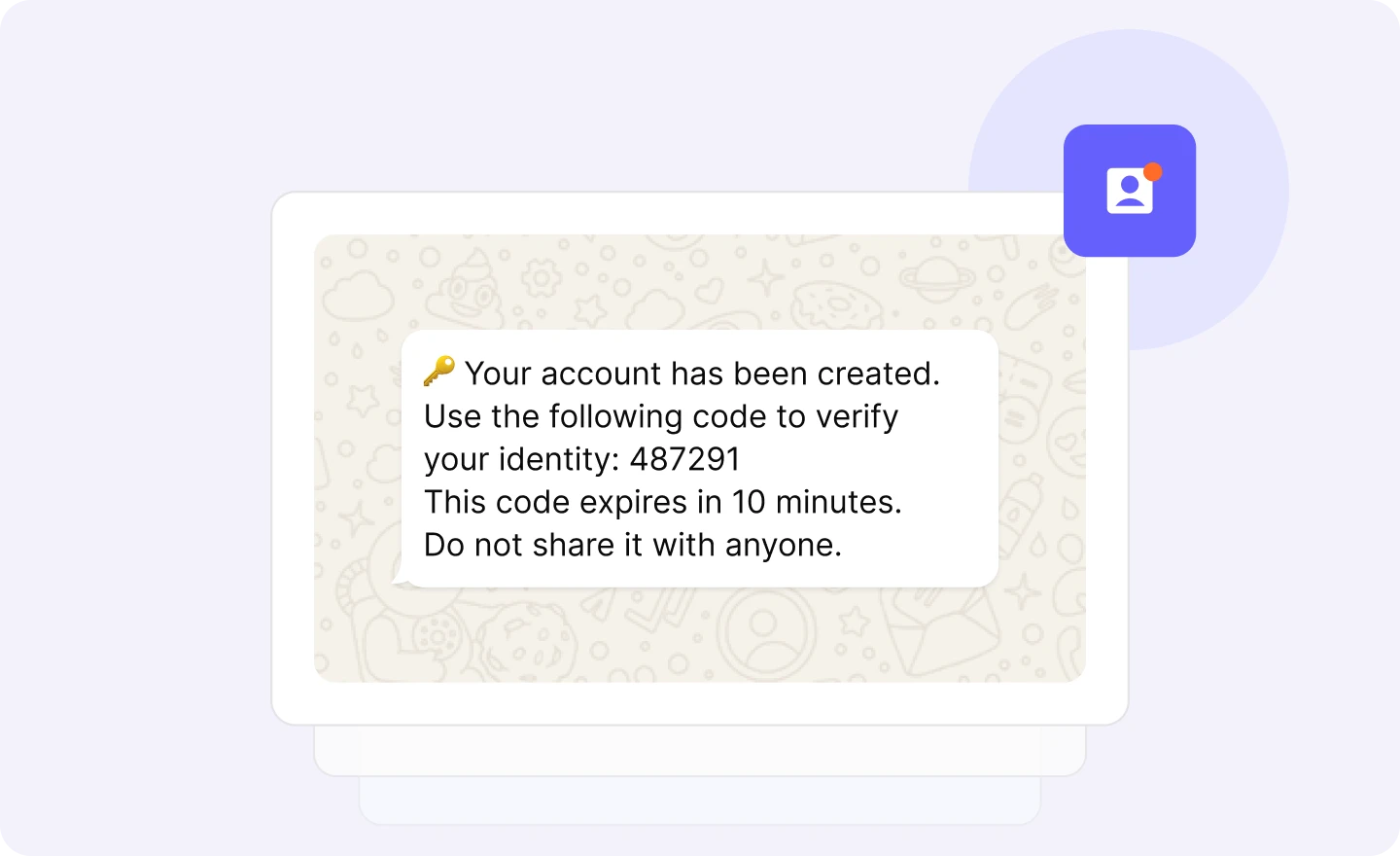
Authentication messages
Trigger account creation messages, transaction verifications, password resets, verification codes and more. -
![]()
Customer support
Provide support through customer-initiated conversations with a 24 hour window of unlimited messaging.


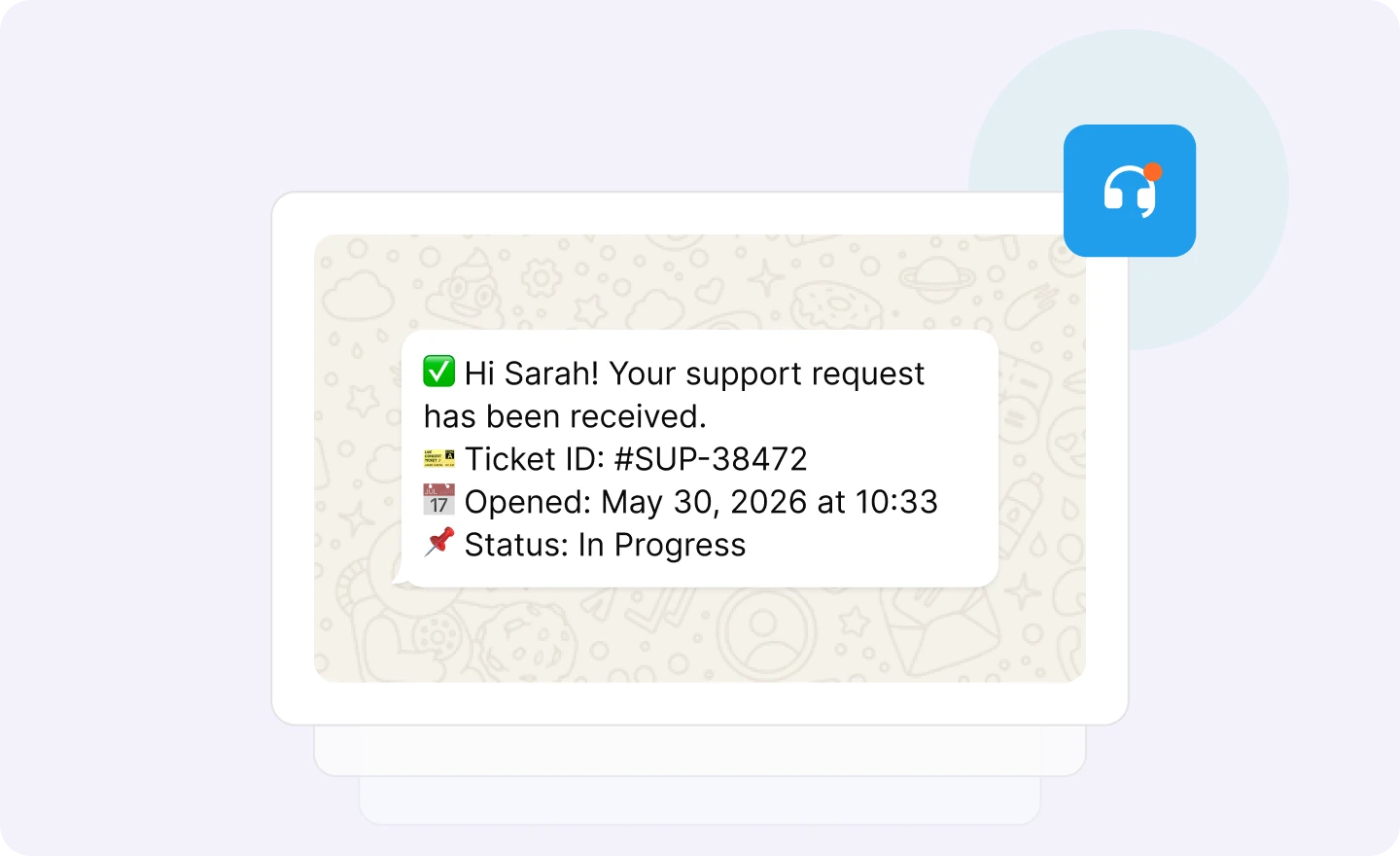

Fast, responsive technical support
Our friendly, award-winning support team is on hand to help you every step of the way, from connecting your account to sending your first message and beyond.
FAQs
Why do I need a transactional WhatsApp messaging system?
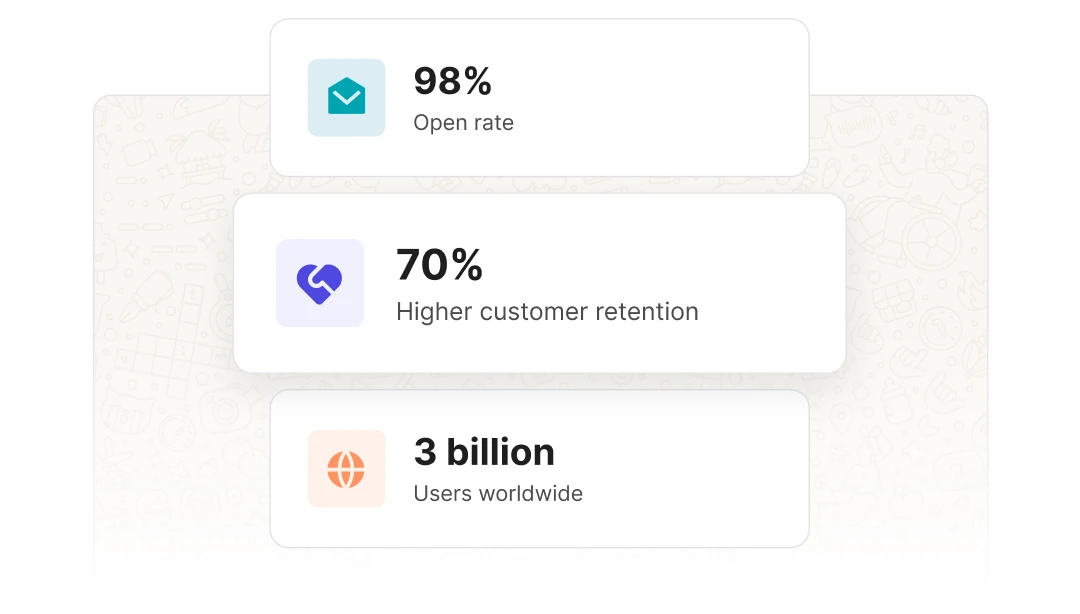
WhatsApp is the world’s most popular instant messaging app and as a result is one of the fastest-growing customer communication channels for businesses. It offers high deliverability and high open rates of 98%, making it the ideal platform for delivering transactional messages.
For businesses to message customers through WhatsApp, they must have a Meta and WhatsApp Business account, and to send directly through Meta, they must go through a long verification process and build a complex infrastructure to manage the sending. MailerSend has taken care of this part already, so our users can connect their account and send transactional WhatsApp messages without the lengthy setup process. What’s more, you can also manage your transactional email and SMS sending from the same platform using the same simple API endpoints you already know.
Do I need to verify my business with Meta before I can start sending?
Yes, to increase your message limits and avoid restrictions you’ll need to verify your business. This involves submitting your business details (legal name, address, phone number, website, legal document) and completing a phone verification.
How do the monthly message allowances and overusage costs work for each plan?
The add-on is available for the Hobby, Starter and Professional plans. There are 3 bundles available: 1,000 messages ($5/month and $2.50/1,000 thereafter), 10,000 messages ($10/month and $0.50/1,000 thereafter), and 50,000 messages ($20/month and $0.20/1,000 thereafter).
Can I use a phone number that is already active on a personal WhatsApp account?
The phone number you use should not already connected to a WhatsApp account. There is the option to get a new Meta provided phone number when you connect your account, or use a verified toll-free phone number if you’re based in North America
What are the pre-requisites for adding WhatsApp to my MailerSend account?
You can test WhatsApp for free at any time. To start sending WhatsApp messages to customers, you’ll need a Hobby plan or above, and the WhatsApp add-on.
To connect WhatsApp, you’ll need a business phone number that is not yet associated with a WhatsApp account, a Facebook account with Meta Business Manager access, and your business details on hand.
Can I use the WhatsApp Sandbox if I am on the Free plan?
Yes, you can test the WhatsApp API with the sandbox on the Free plan.
Is there a way to appeal rejected message templates?
Yes, if a template is rejected by Meta, it may be because it does not comply with Meta’s guidelines for this template category. You will find the option to appeal the decision from within MailerSend, or you can create a new one that fits the guidelines.
How do I increase my daily messaging limit from 250 to "Unlimited"?
Messaging limits are set by Meta. You can increase your limit by following Meta’s scaling path, and then through automatic scaling which is based on the quality of your messages and sending volume.