


Knowledge base
WhatsApp message activity
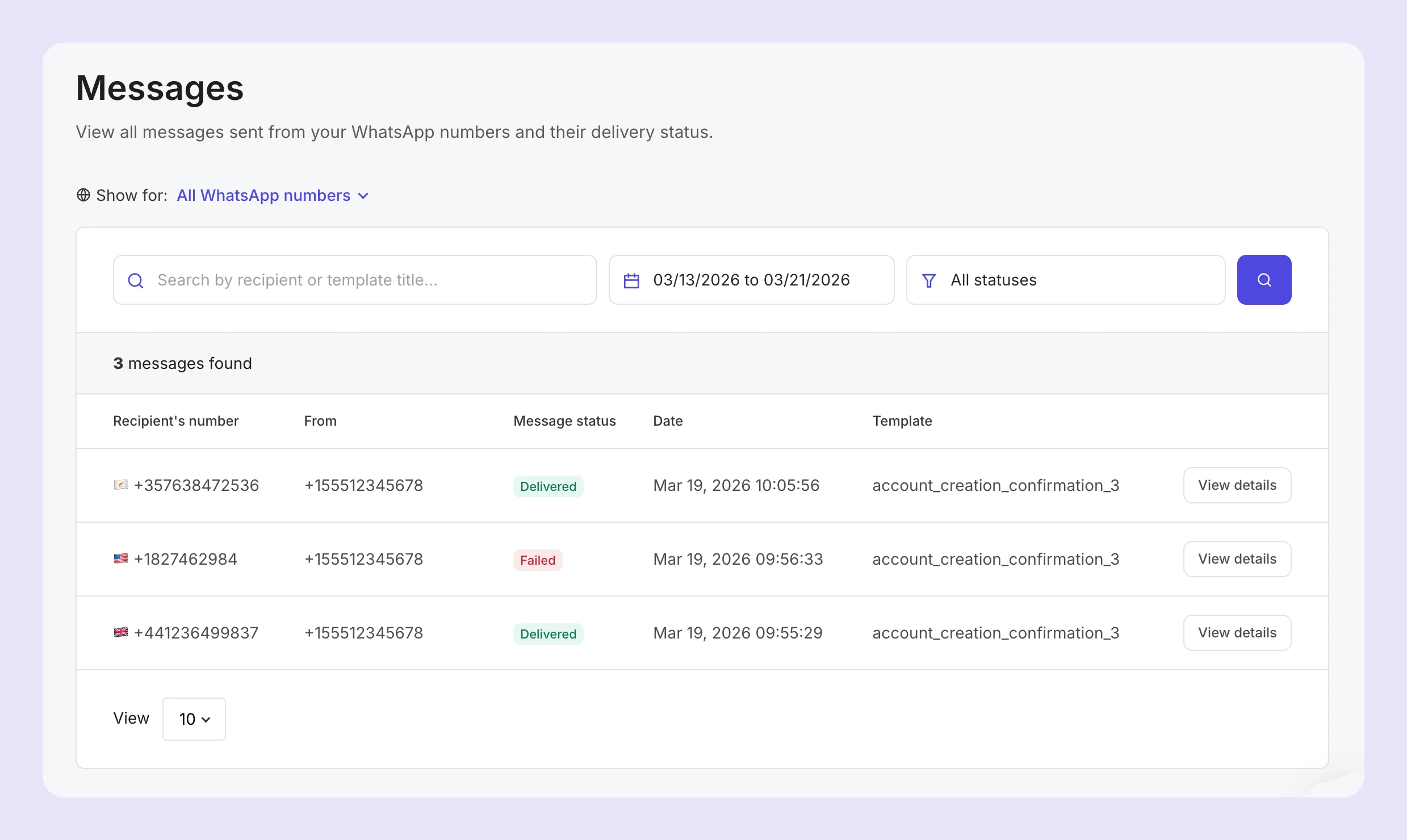
The WhatsApp Messages page allows you to view the messages sent from your WhatsApp numbers, their delivery status, recipients, and more.
Message activity filters
You can filter message activity by template name or recipient in the search field, or use the selectors to filter by date and activity status.
Message status
The following statuses are visible for WhatsApp messages:
Queued: The message is in the queue to be sent
Failed: The sending has failed
Sent: The message has been sent
Delivered: The message has been delivered to the recipient
Message details
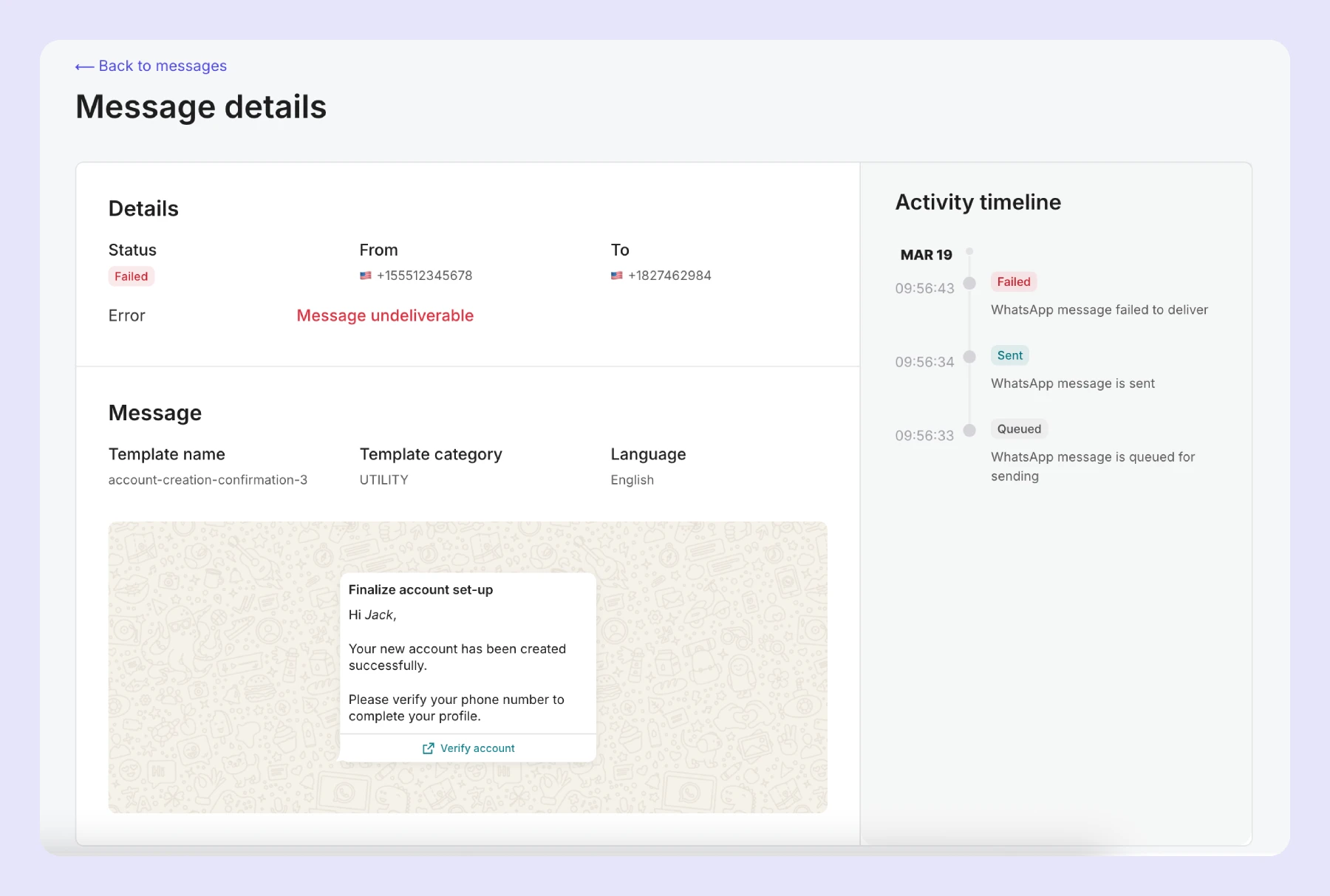
To view more details about a message, including the message content, click View details.
On the individual message activity page, you’ll be able to see:
Message status
From number and recipient number
Message template, category, language and content
Full timeline of the message events
Need more info?
Feel free to reach out to support@mailersend.com. A member of our support team will gladly assist you.
- Getting started: Sending your first email
-
Email
- Add and verify a sending domain
- How to merge multiple SPF records
- Start sending transactional emails
- SMTP relay
- Testing email sending with blackhole recipients
- Email Activity
- Analytics
- Bulk email sending
- Custom headers
- Custom unsubscribe headers
- Sending domains
- Domain tracking options
- Personalization in emails
- Sender identities
- Split Testing
- Surveys
- Tagging emails
- Templates
- How to translate email templates automatically
- How to configure SMTP connections correctly (421: Service not available error)
- How to enable Google Email Actions & Highlights
- How transactional emails work
- The difference between transactional emails and marketing emails
- SMS
- Developer tools
- Deliverability
-
Account, billing & add-ons
- Plans, features and limits
- Plan add-ons
- User management
- Change password
- Two-factor authentication
- Switch accounts
- How to whitelist IPs
- How to add a domain space to your account
- How to request a dedicated IP
- Account reputation statuses
- How to set a billing limit on your account
- How to change your payment method
- How to change or cancel your plan
- Delete account
- About MailerSend's refund and account policies
- VAT Collection for EU Customers
- VAT Collection for UK Customers
- GST Collection for Customers in India
- GST Collection for Customers in Canada
- VAT (IVA) Collection for Customers in Chile
- Sandbox mode and the Professional trial
- Integrations
- Agency guides
- API reference ↗