


Blocklist monitoring
Blocklists are lists of domains, IP addresses or mail servers that are suspicious or known for sending spam or other malicious activity.
Internet Service Providers (ISPs), spam filters and organizations use blocklists to prevent their users from receiving emails from a blocklisted domain or IP. Occasionally, even legitimate senders can find themselves on an email blocklist, so it's important to monitor blocklist activity.
Our blocklist monitoring tool automatically checks the most reputable and impactful blocklists for appearances of your IPs or domains. This allows you to be notified about a listing when it happens, so you can take steps to fix the issue as soon as possible, protecting your sender reputation and preventing deliverability issues that could harm your business and impact your customers. What’s more, the blocklist monitoring tool also provides information on how to be delisted from the blocklists.
How to set up Blocklist monitoring
To add a domain or IP address to the Blocklist monitoring tool:
1. Under Email, click Blocklist monitoring.
2. Click the Add monitor button.
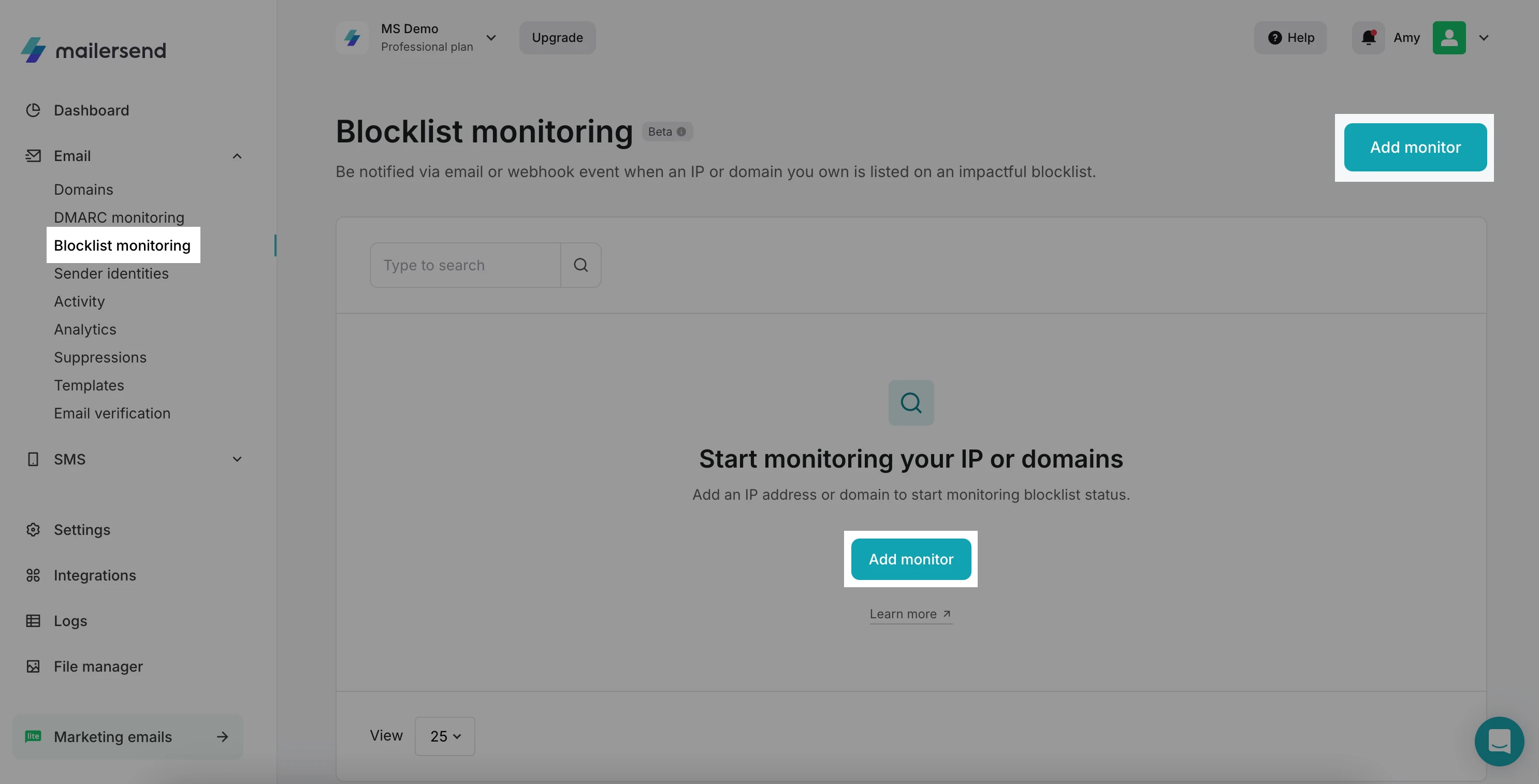
3. Select IP address or Domain and enter a name for your monitor.
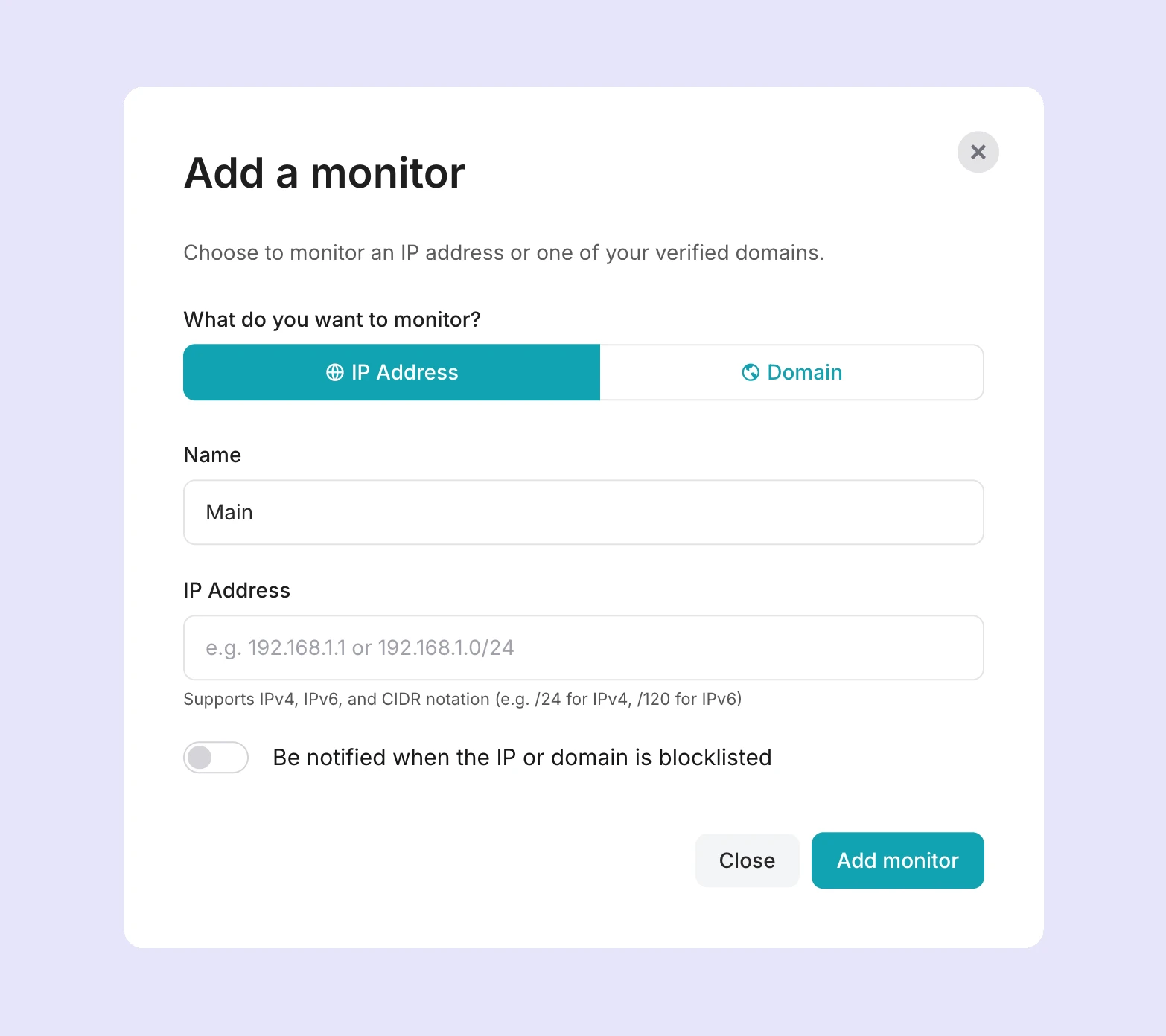
4. If you are adding an IP address, type or paste it into the IP address field. You can enter IPv4 or IPv6 format, or a CIDR notation for an IP range.
5. If you are adding a domain, choose from the dropdown of your verified domains.
6. If you'd like to receive alerts if your IP or domain is detected on a blocklist, enable the Be notified when the IP or domain is blocklisted option, and add the email address or endpoint URL you'd like the notification to be sent to.
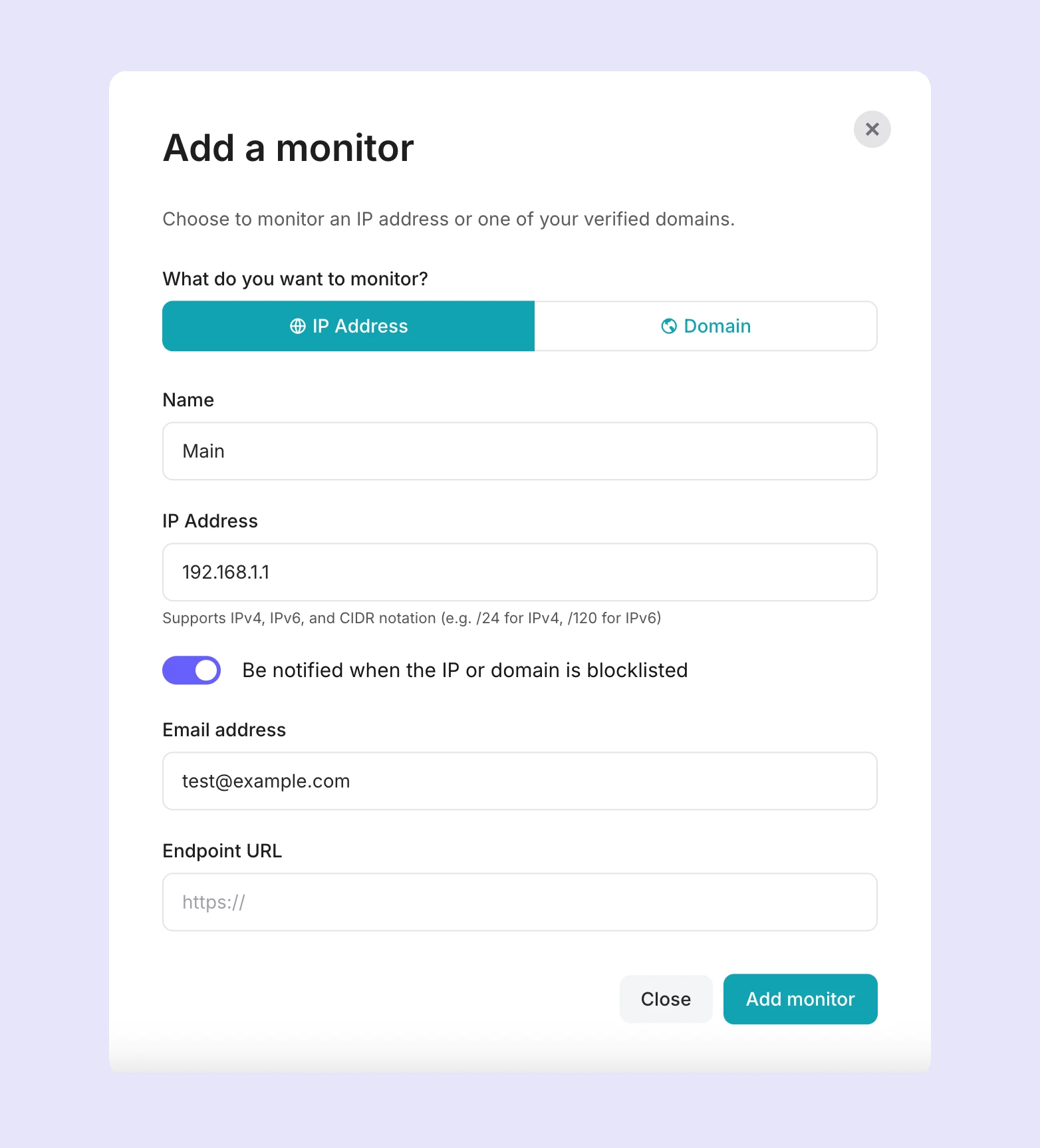
7. Finally, click Add monitor. The first check will begin immediately.
How to view a blocklist report
On the Blocklist monitoring dashboard, you'll be able to view all of your monitors and an overview of each, including:
The domain or IP address
The number of blocklists checked and the number of blocklists the domain or IP appears on
The time and date of the last check
The time remaining until the next check
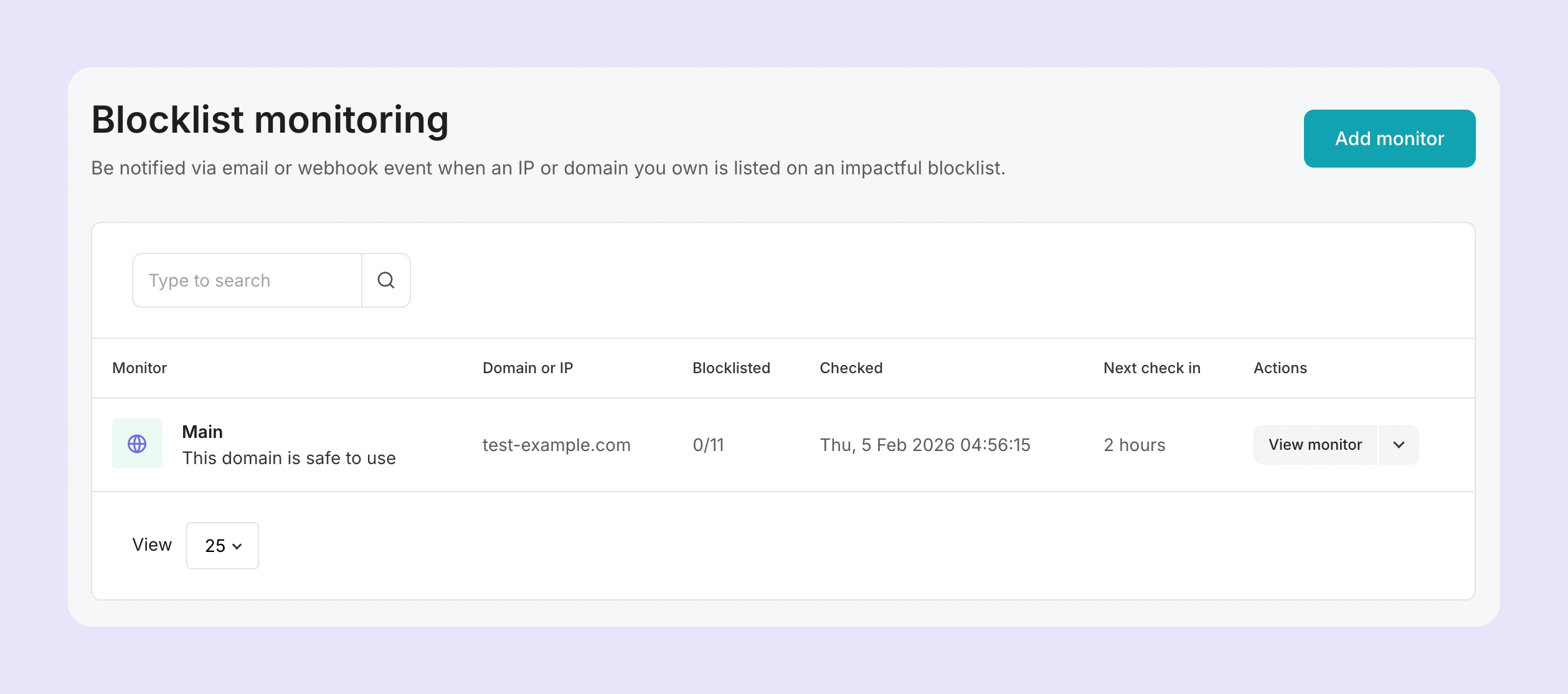
To view the latest report for your domain or IP, you can click on it or click the View monitor button.
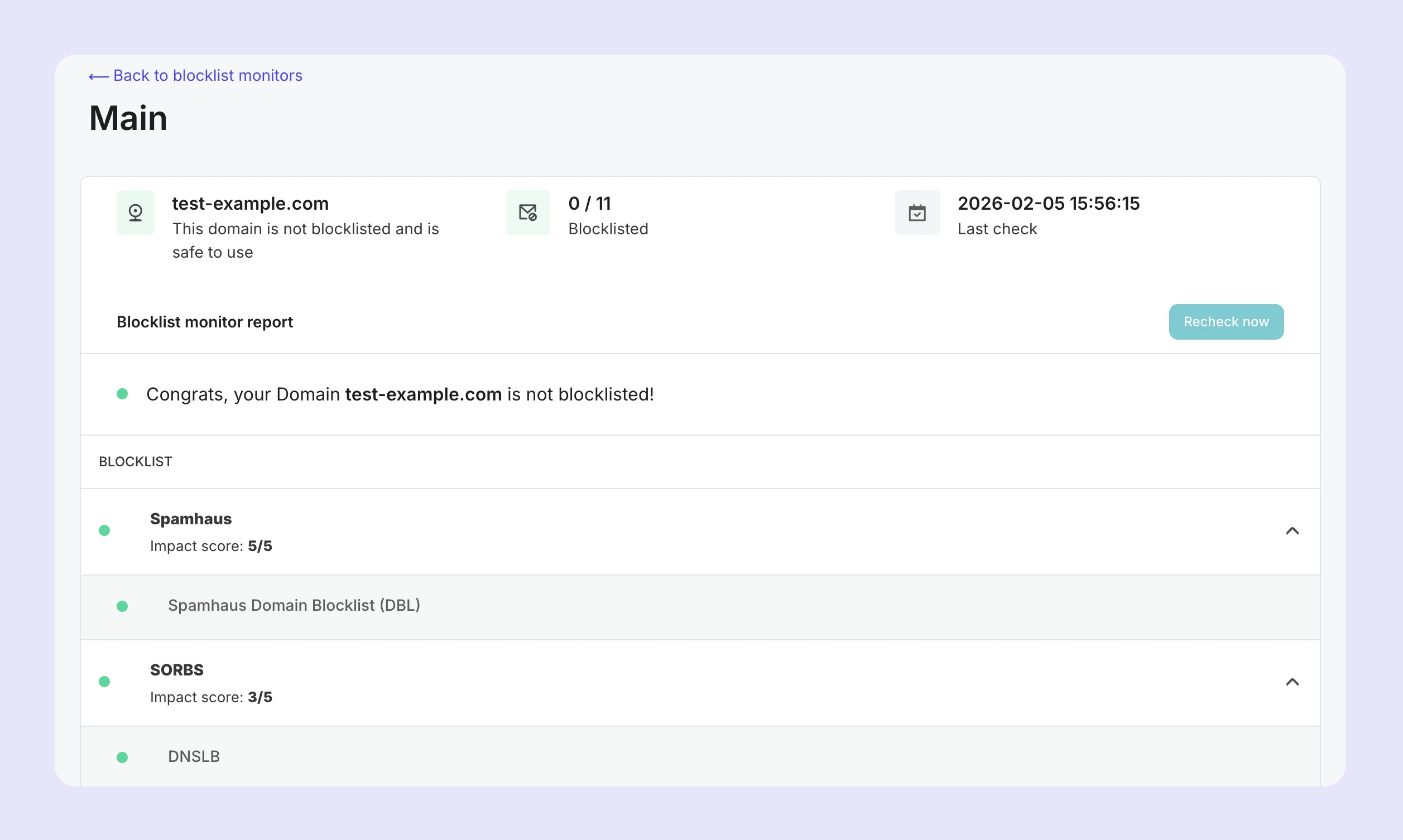
The report will tell you:
If the IP or domain has been detected on a blocklist
The number of blocklists checked and the number of blocklists your IP or domain appears on
The date and time of the last check
An overview of each blocklist and its impact score (how much impact the blocklist has on your deliverability)
What does the impact score mean?
Each blocklist is assigned an impact score. This is represented by a number out of 5, for example, 2/5. The higher the impact score, the more potential the blocklist has to impact your deliverability.
This allows you to prioritize delisting by the most impactful blocklists first, i.e., first addressing blocklists with an impact score of 5/5, then those with 4/5, and so on.
What to do when your IP or domain is blocklisted
If the blocklist checker detects your IP or domain on a blocklist, the report will contain details about the blocklist's requirements for delisting, and a link to the blocklist website or delisting page.
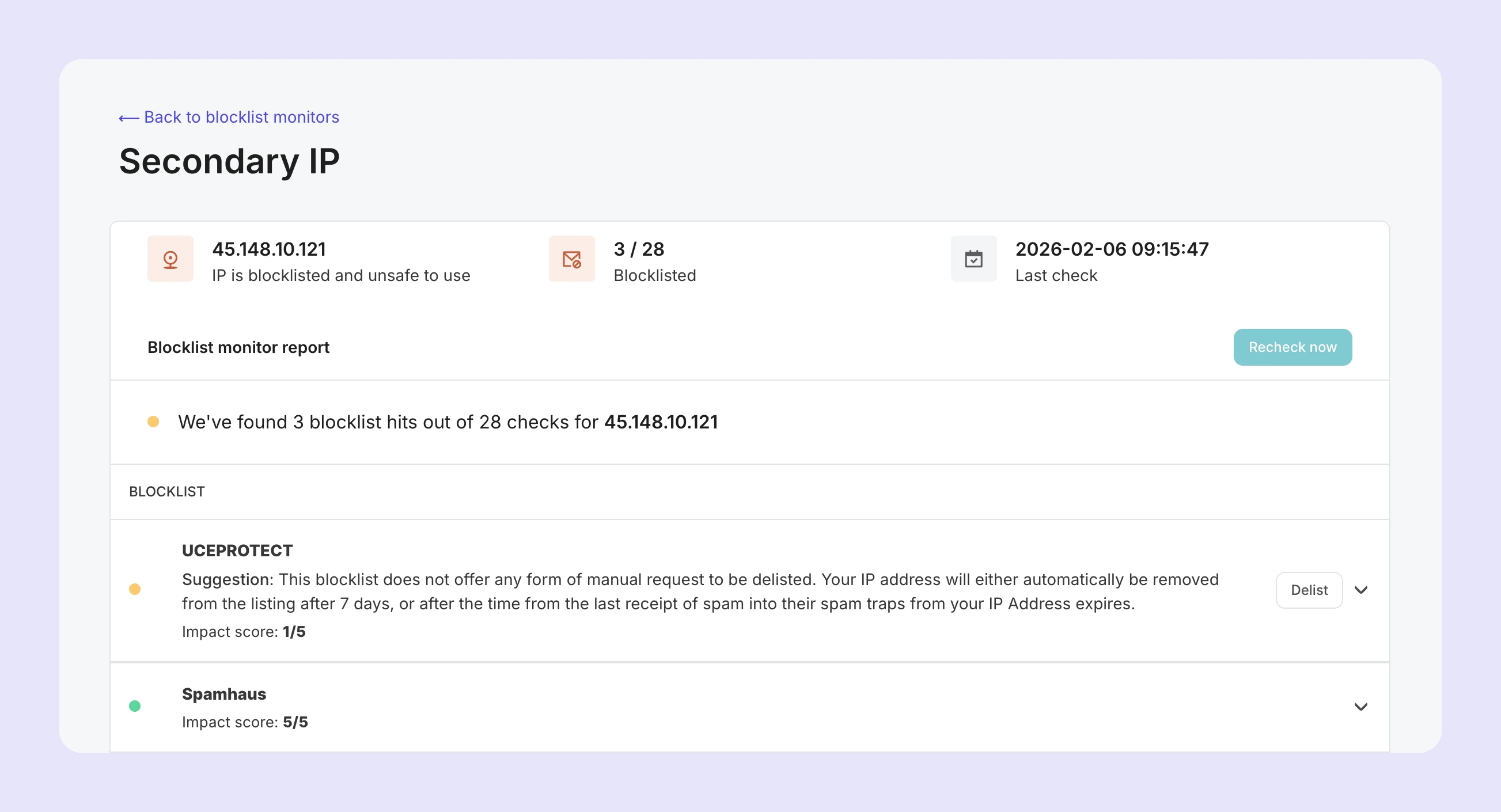
Depending on the blocklist, you may need to address the issues that resulted in your IP or domain being blocklisted and then submit a request to be delisted. Some blocklists do not offer a way to request delisting and will simply remove the listing automatically once the issue is no longer detected or a period of time has passed since the last activity (for example, delivering to a spam trap).
Blocklist monitoring limits
Blocklist monitoring is included for Professional and Enterprise plan accounts. The following limits apply:
Professional | Enterprise | |
Number of domains/IPs | 256 | 1,024 |
Frequency of blocklist checks | 6 hours | 2 hours |
Number of blocklists checked | 49 | 49 |
Data retention | 30 days | 30 days |
Need more info?
Feel free to reach out to support@mailersend.com. A member of our support team will gladly assist you.