


Account reputation statuses
What is sender reputation?
Sender reputation is a crucial factor that determines the deliverability of your email campaigns.
Think of it like a restaurant's rating on a review site; the higher the rating, the more likely customers are to visit. In the same way, a good sender reputation increases the likelihood that your emails will successfully reach your target audience's inbox. This reputation is calculated based on a variety of factors including email open rates, bounce rates, and spam complaints.
Keeping track of your reputation status is essential for ensuring effective email deliverability and preventing your domain from being flagged or blacklisted by Internet Service Providers (ISPs).
Checking reputation status in MailerSend
On the MailerSend Dashboard, you'll find an overview of your account's reputation health under the Email section. Here, you'll get insights into your current reputation status and tips for improvement if necessary.
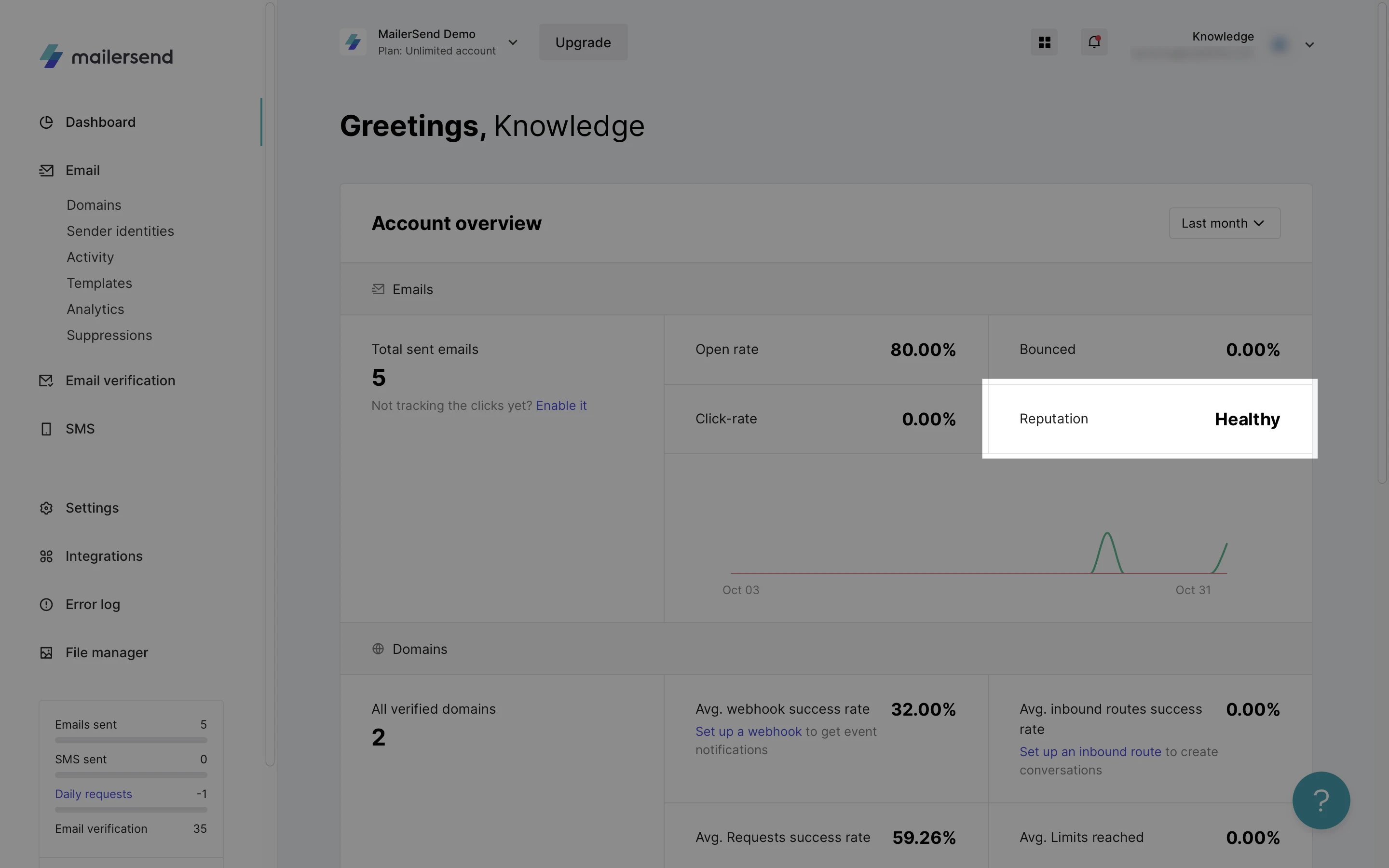
Reputation statuses explained
Here is a list of the possible account reputation statuses, their meaning, and what you can expect.
Status | Description |
Healthy | Your account is in good standing with no current deliverability issues. This status reflects a balance of positive engagement metrics and minimal negative indicators such as bounces and spam complaints. |
Under review | Your account has triggered certain thresholds indicative of potential deliverability problems, such as increased error rates (e.g., 403, 422, 429 responses) or a change in email engagement patterns. A review will be conducted to identify and address these issues. |
Rebuilding | Following a review that identified issues affecting your sender reputation, your account has entered the process of restoring to a healthy status. Continued adherence to best practices and improvement in key metrics will facilitate this transition. |
Sending paused | Activities from your account have been temporarily halted due to significant concerns regarding sending practices or reputation. During this period, our team will be in touch to guide you through the necessary steps for resolution. |
Transitioning between statuses
To help you maintain a strong sender reputation, you will receive notifications to your account's registered email address when your reputation status changes from Healthy to Under Review or Sending Paused.
MailerSend proactively monitors your account to ensure optimal sender reputation. The transition between statuses, such as from "Healthy" to "Under Review" or "Sending Paused," is based on a comprehensive evaluation of your account's performance, including engagement metrics, feedback rates, and error responses.
Need more help?
Please feel free to contact us at support@mailersend.com and a member of our support team will gladly assist you.