


Unlock fast, global messaging: WhatsApp API has arrived
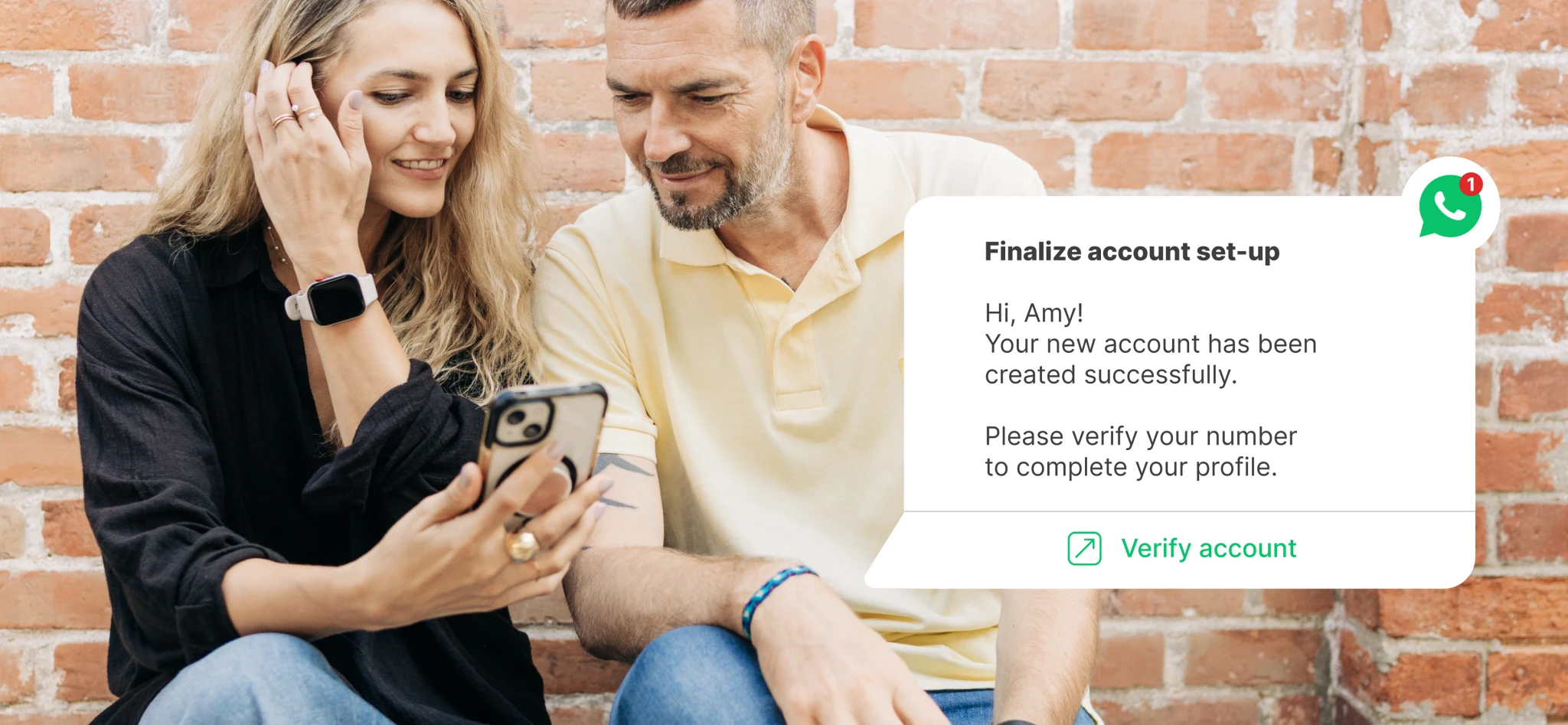
WhatsApp has entered the chat. Today, we’re launching our WhatsApp Business API: bringing rich, instant messaging into your transactional email and SMS strategy for better reach, higher engagement, and improved delivery workflows.
This new messaging channel gives you a faster, more direct way to reach customers where they’re most active—globally, and for a fraction of the cost of SMS. Our WhatsApp Messaging API is built to integrate fast and deliver reliably and at scale, allowing you to start turning conversations into conversions without the need to build your own complex Meta integration.
The world’s most popular messaging app
Over 3 billion people worldwide use WhatsApp to chat with friends, family, and increasingly, businesses (175 million conversations happen between businesses and people every single day). It’s fast, it’s reliable, and for your customers, it’s the most convenient way to communicate with you. When WhatsApp is an option, customers trust you more and remain loyal for longer.
With WhatsApp, messages:
Are delivered directly to recipients’ primary messaging app
Have higher visibility than other channels
Enable higher conversions, more engagement and faster responses
Become conversations. Recipients can reply and you can converse for free within a 24-hour window
Fast, simple integration
Despite its popularity, building a direct Meta integration is a lengthy and complex process, making it difficult for a lot of businesses to add WhatsApp into the mix. And that’s where MailerSend’s official WhatsApp API steps in.
We’ve taken care of the infrastructure, technology, security, and compliance, so all you need to do is connect your account. Then, with our API, you can:
Effortlessly integrate WhatsApp messaging into your existing workflows
Trigger WhatsApp messages programmatically, just as you do with your emails and SMS
Maintain security and compliance
What you can do with the new WhatsApp messaging feature
Our WhatsApp API is designed for fast, reliable delivery of transactional messages: from order confirmations, shipping updates, and appointment reminders to OTPs (One-Time Passwords), 2FA (Two-Factor Authentication) messages, and account alerts.
Connect your account in a few clicks
With a Meta Business Manager account, it takes minutes to connect to MailerSend. Simply click Connect number on the WhatsApp page in the app and follow the steps provided by Meta to connect or create your WhatsApp Business account. If your business is already verified, that’s it!
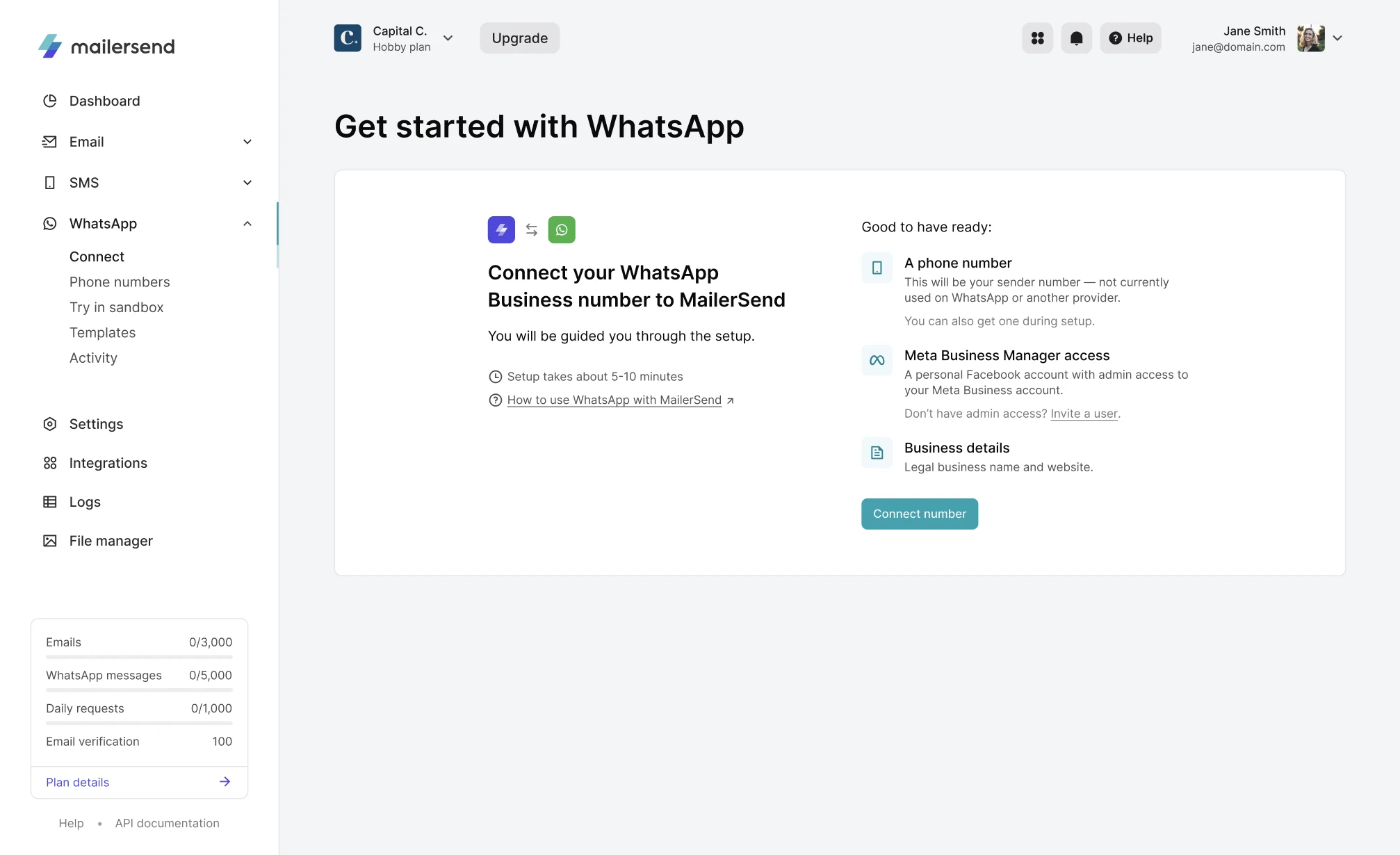
Test in the sandbox for free
All plans can test out WhatsApp messaging for free in the Sandbox by connecting your personal account via a simple WhatsApp connection message (scan the QR code or copy the message; it connects in seconds).
Once connected to the sandbox, you can send up to 50 test messages per day to your number. There are 3 test templates available for you to play around with. Fill in the variables and send with a click from the app or using the provided code snippet.
Get started quickly with pre-approved templates
Meta has strict approval guidelines for message templates, and they must be approved before you can send. To make it easier to get started and avoid potential template rejection, we’ve created a library of 147 pre-approved templates (in English, Spanish, French and Polish) covering the 2 Meta transactional categories: Utility (operational, such as order confirmations) and Authentication (such as OTPs or verification codes).
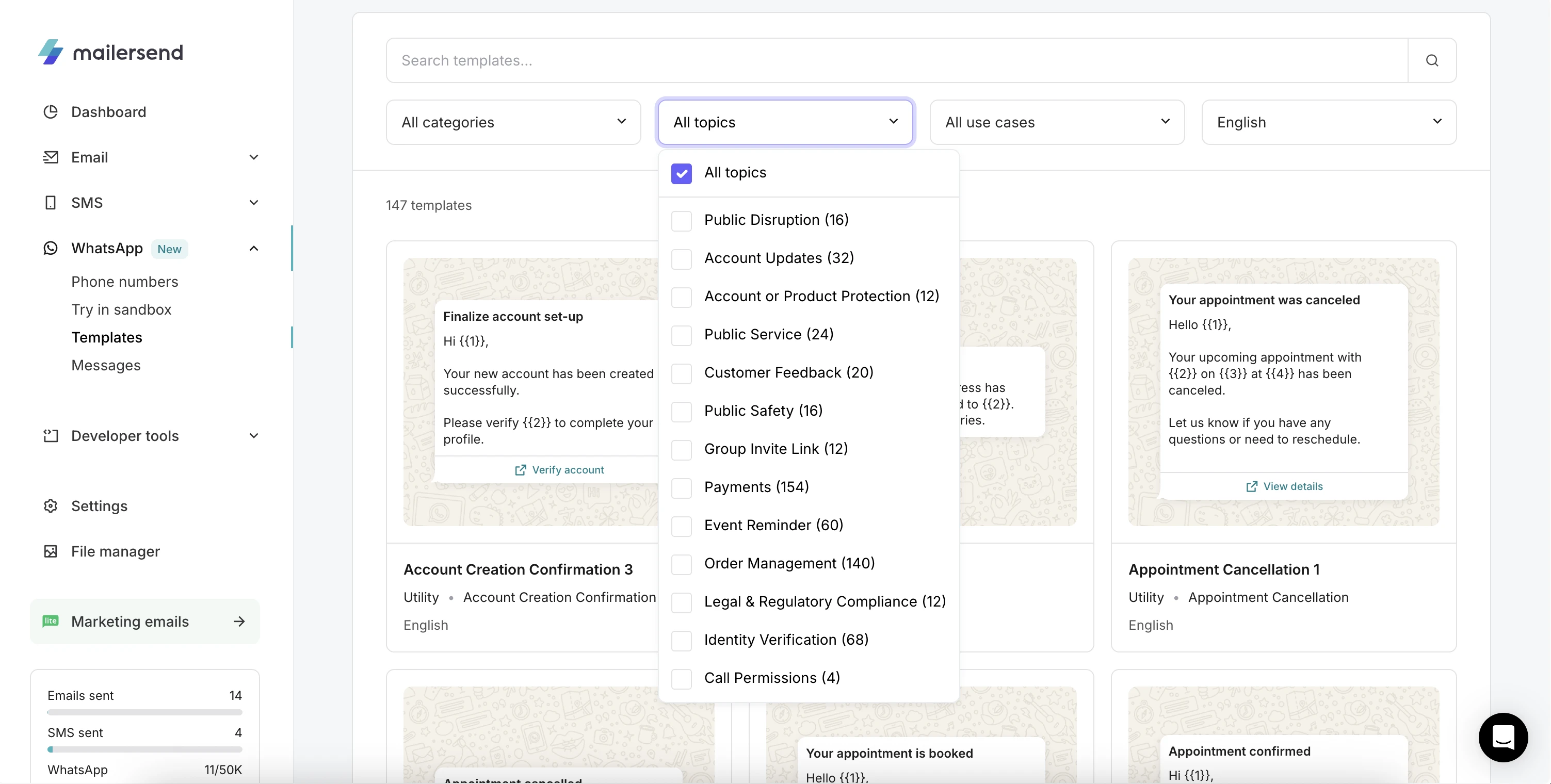
Select a template, add any necessary adjustments, and submit it to Meta for review. For added flexibility, you can also sync your approved templates from your Meta account.
Monitor quality scores from within the app
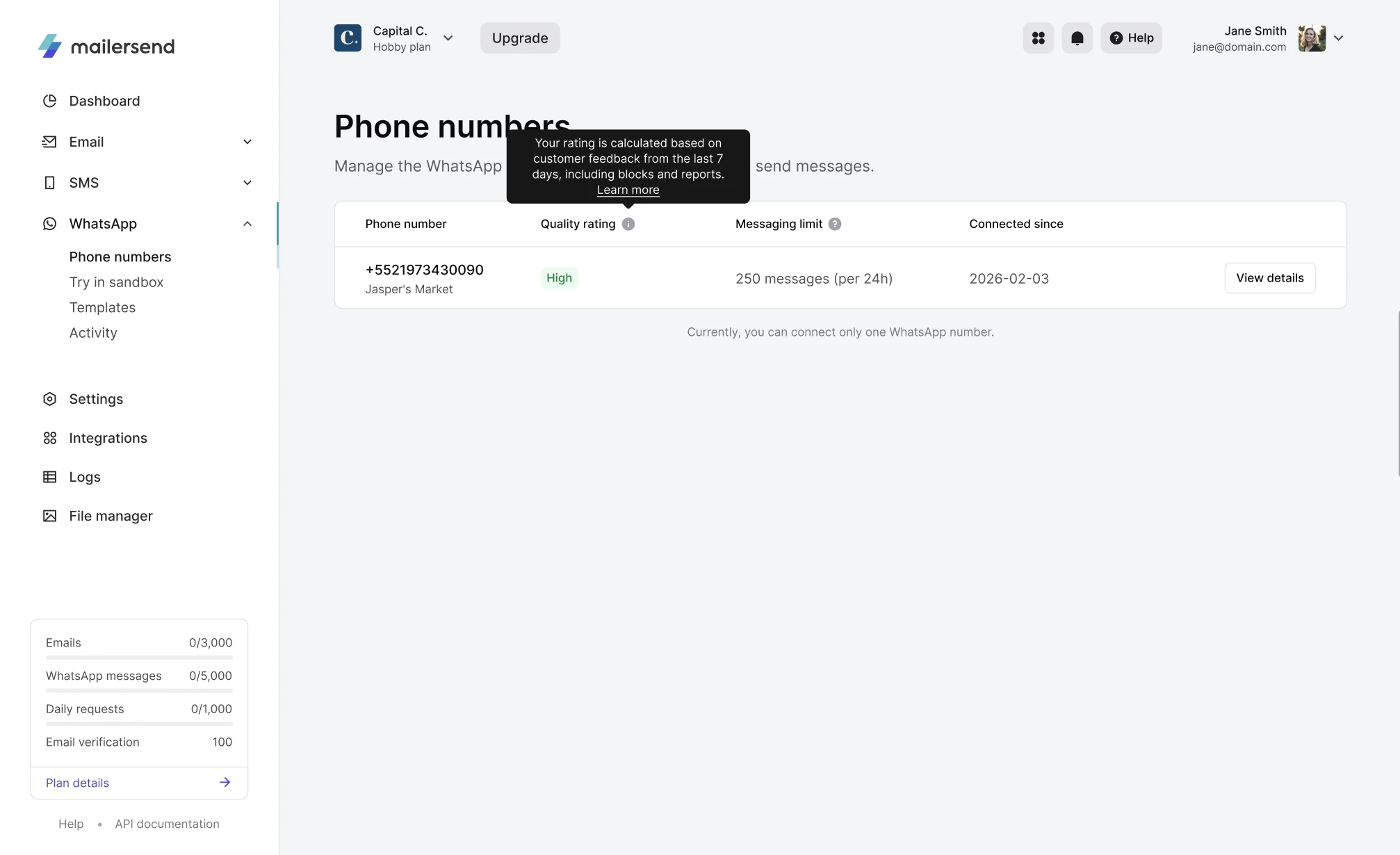
Meta assigns all WhatsApp Business account phone numbers and templates a quality score based on how recipients interact with messages. If a template or phone number has a Low quality score, sending may be completely restricted.
We’ve made it easy to keep track of each and every quality score on the Phone numbers and Templates pages, so you can monitor their statuses and react to any changes quickly without needing to check in Meta.
Instant visibility into delivery status
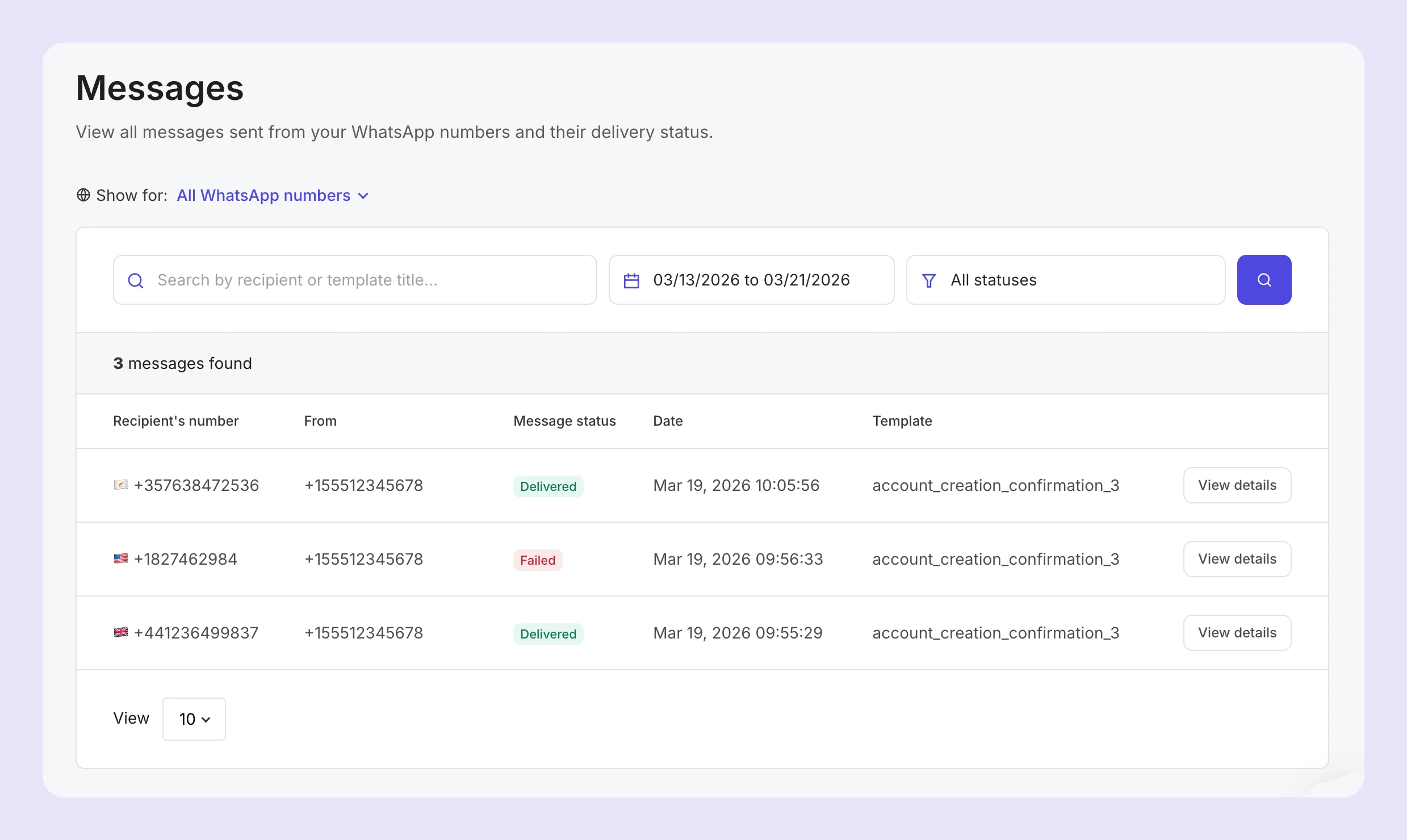
There’s no guesswork involved when it comes to whether or not your WhatsApp messages have reached recipients. From queued to delivered, you can track the activity and time of delivery on the Messages page for every message sent.
Build smarter fallback scenarios
Every channel has its strengths. WhatsApp is global and fast, SMS is dependable, and email allows for more detailed communication. Together, they enable a multichannel approach that’s more reliable, resilient, and effective.
By combining WhatsApp, email and SMS, you can build intelligent delivery flows for maximum delivery success. For example:
Trigger a WhatsApp message for instant, low-cost, high-visibility delivery
If the message fails, automatically fall back to SMS or email
Additionally, use email as a final layer for more detailed communication or non-urgent updates
Handle incoming messages
Inbound routing captures every incoming WhatsApp message and pushes it via webhook to wherever your team works, allowing you to monitor replies without them getting lost.
How to get started with the WhatsApp API today
All plans (including the Free plan) can test out the WhatsApp API for free by heading to WhatsApp and then Sandbox in the app.
If you’re ready to connect your WhatsApp Business account and start sending, you’ll first need a subscription to a Hobby, Starter or Professional plan and to purchase the WhatsApp add-on. You can do this by navigating to WhatsApp and then Get started from the left-hand navigation menu.
Connect your Meta and WhatsApp Business accounts
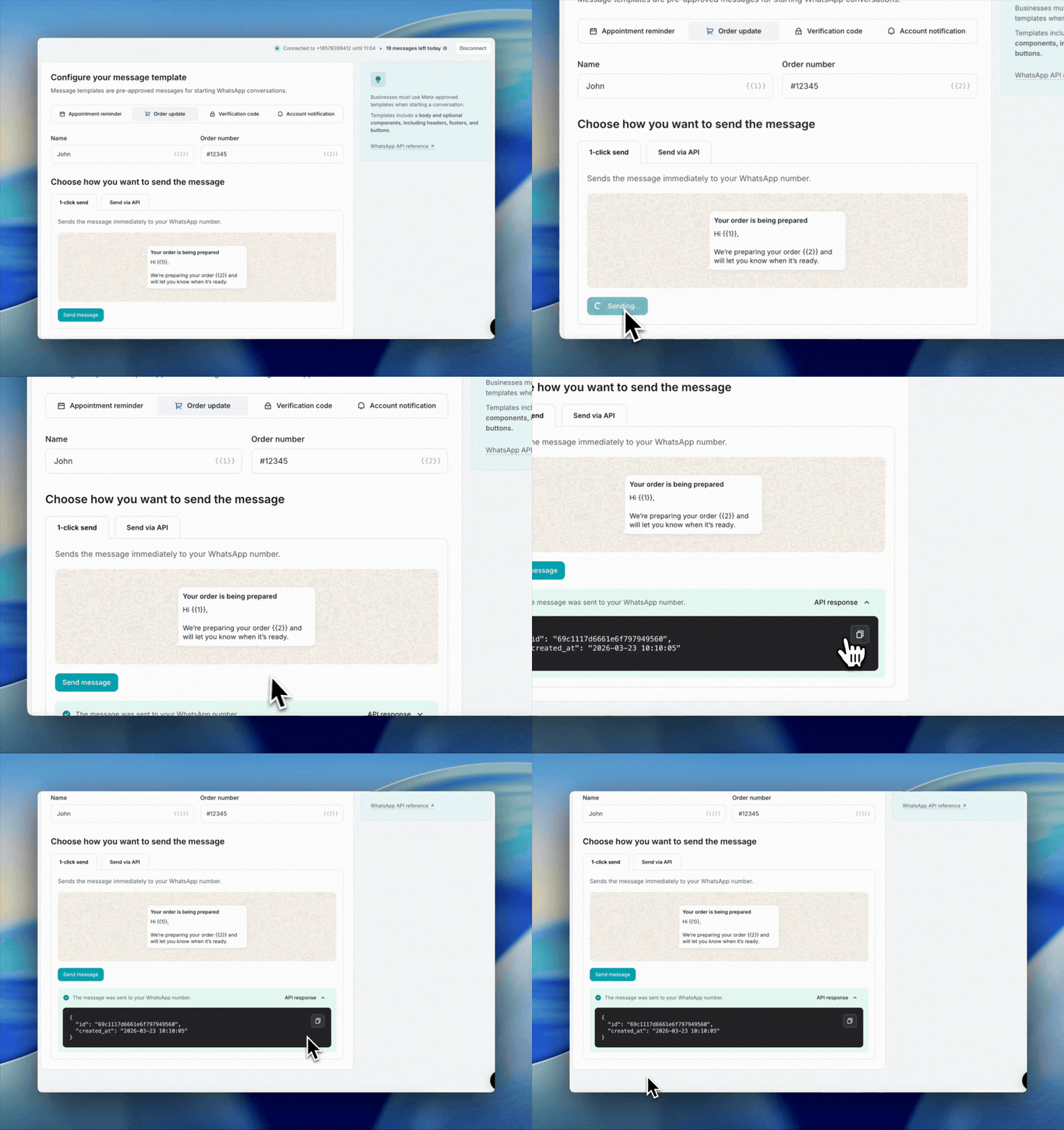
From the Dashboard, click WhatsApp and then click Connect.
Click Connect number. This will open Meta and trigger the account connection steps (this takes just a few minutes).
Follow the steps. This will involve:
1. Ensuring you are connecting to the correct Meta Business account.
2. Beginning the connection with your WhatsApp Business account.
3. Giving MailerSend the appropriate permissions.
4. Selecting your Meta Business account.
5. Selecting or creating a new WhatsApp Business account.
6. Adding a new or existing phone number for WhatsApp.
And that’s it!
If you haven’t already verified your business with Meta, you’ll see a notification in MailerSend to do so before you can begin sending messages without restrictions.
One platform for all your transactional messaging needs
No more fragmented tools or workarounds: MailerSend brings together email, SMS and WhatsApp for a simplified, omnichannel transactional messaging solution you can rely on and manage from one place.
Whether you’re sending an order confirmation, an OTP, or an appointment reminder, you now have the right channel for every message, and the technology to build smarter workflows, without the complexity. Jump into the sandbox and send your first test message in minutes for free.
What's next?
We're already working on the next WhatsApp release. Coming soon: Multiple phone numbers. Check out the beta and let us know what you think and what you'd like to see next.