


New: Protect domain/IP reputation with Blocklist monitoring
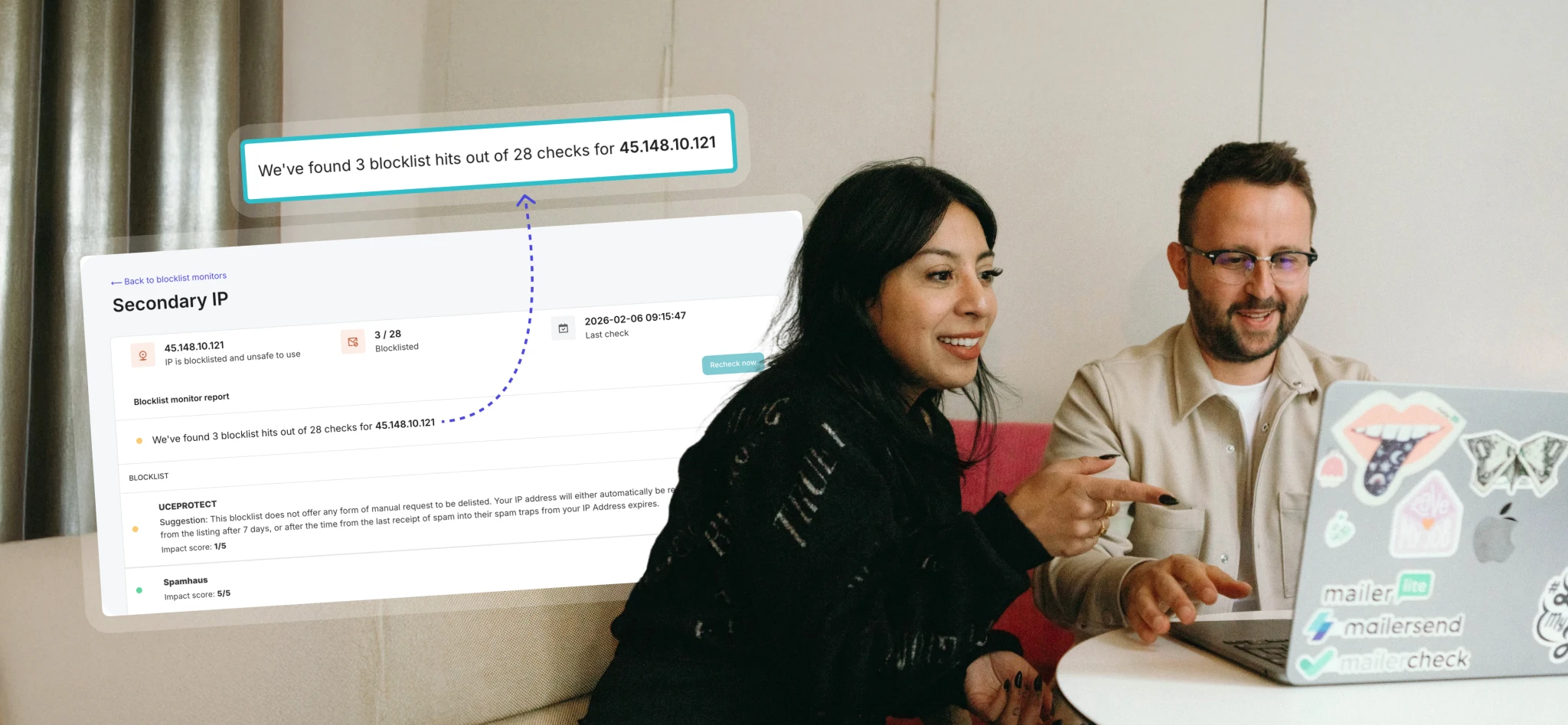
The latest addition to our collection of deliverability tools is now available. Blocklist monitoring automates the checks of your IPs or domains against blocklists, so you can take action before any impact to your sender reputation.
Sustaining good deliverability is a team effort, and there are dozens of factors that can impact your reputation and hurt your ability to deliver to inboxes. With Blocklist monitoring, you have another tool at your disposal that not only helps with troubleshooting deliverability issues but also helps you to develop a well-rounded, proactive approach to maintaining and protecting your deliverability.
There's no need for guessing or frantic, manual checks. Our blocklist monitoring feature will let you know when something needs your attention.
Why does blocklist monitoring matter?
Inbox providers, spam filters, and businesses use blocklists to flag and block IPs and domains that are suspected of or known to carry out harmful sending activity. That means if you land on one of these lists, your emails will likely be rejected.
As effective as blocklists are at protecting users from malicious emails, getting blocklisted can happen to legitimate senders as well. And noticing it too late can harm your reputation and deliverability and impact your or your clients' customers. That's why being proactive about blocklist monitoring should be an essential part of any deliverability strategy. A blocklist monitoring tool will:
Detect deliverability risks early on: Regular, automated checks notify you in real-time, instead of leaving the discovery of being blocklisted to manual checks long after it happened
Help you take action fast: The faster you learn about a blocklisted IP or domain, the faster you can address the issue and get delisted, allowing you to prevent a significant impact on your inbox placement
Help you protect sender reputation: A good sender reputation takes time to build, but a blocklist can quickly undo the work if overlooked. By proactively monitoring, you can protect your or your clients' reputation from harm instead of picking up the pieces once the damage is done
Improve troubleshooting: Alerts about blocklisted IPs or domains allow you to spend less time troubleshooting while giving you the insights you need to fix deliverability issues
Give peace of mind: Whether you're managing the email for your organization or you're an agency handling the email for multiple clients, regular blocklist checks give you peace of mind that your sending sources are safe, and if a domain or IP is blocklisted, you'll know about it as soon as possible
Here's how the MailerSend Blocklist monitoring tool works
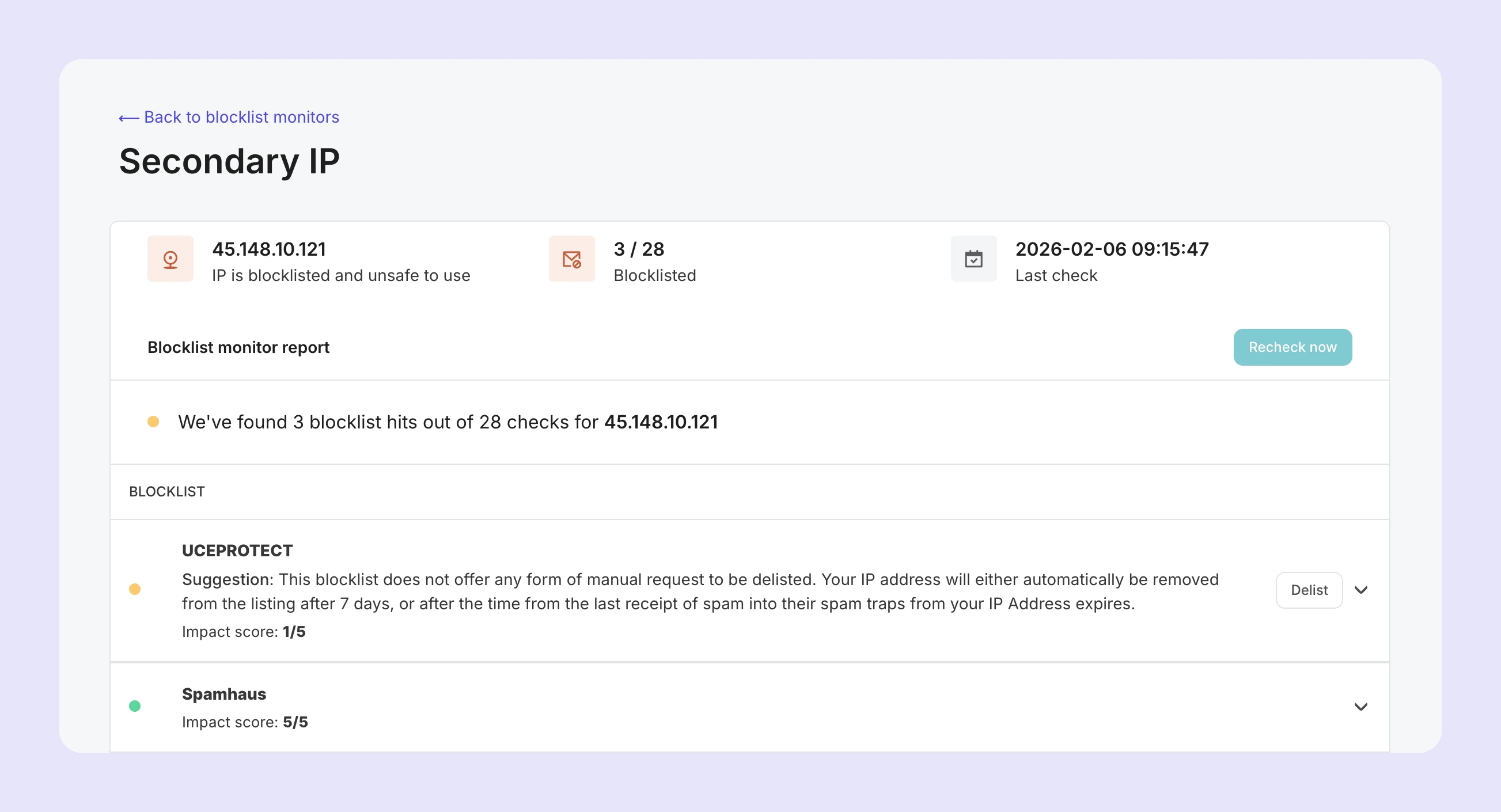
Once you've added your domain or IP, we'll automatically run scheduled checks every 2 to 6 hours (depending on your plan). We've strategically selected the most popular and impactful blocklists to ensure protection where it matters most. You'll also find an "Impact score" that helps you to prioritize by risk so that you can focus on addressing higher-impact blocklists first.
After each check is complete, you'll find an overview of the results in the dashboard, and clicking the monitor will open the full report. You can also enable email or webhook notifications to receive alerts about blocklisted IPs or domains as they are discovered, so you can investigate immediately, pause or adjust sending if needed, and get started on delisting as soon as possible.
Any blocklists that you appear on will be highlighted in the report, with details about the requirements of the specific blocklist to get delisted. You'll also find a link to the delisting page or website of the blocklist.
How to get started with Blocklist monitoring
Blocklist monitoring is included for Professional plans, and you can add your domain or IP in just a few clicks. From the Dashboard, under Email, click Blocklist monitoring and then click Add monitor. Select IP address or Domain, add a name for your monitor, and then enter your IP address or select your domain from the dropdown.
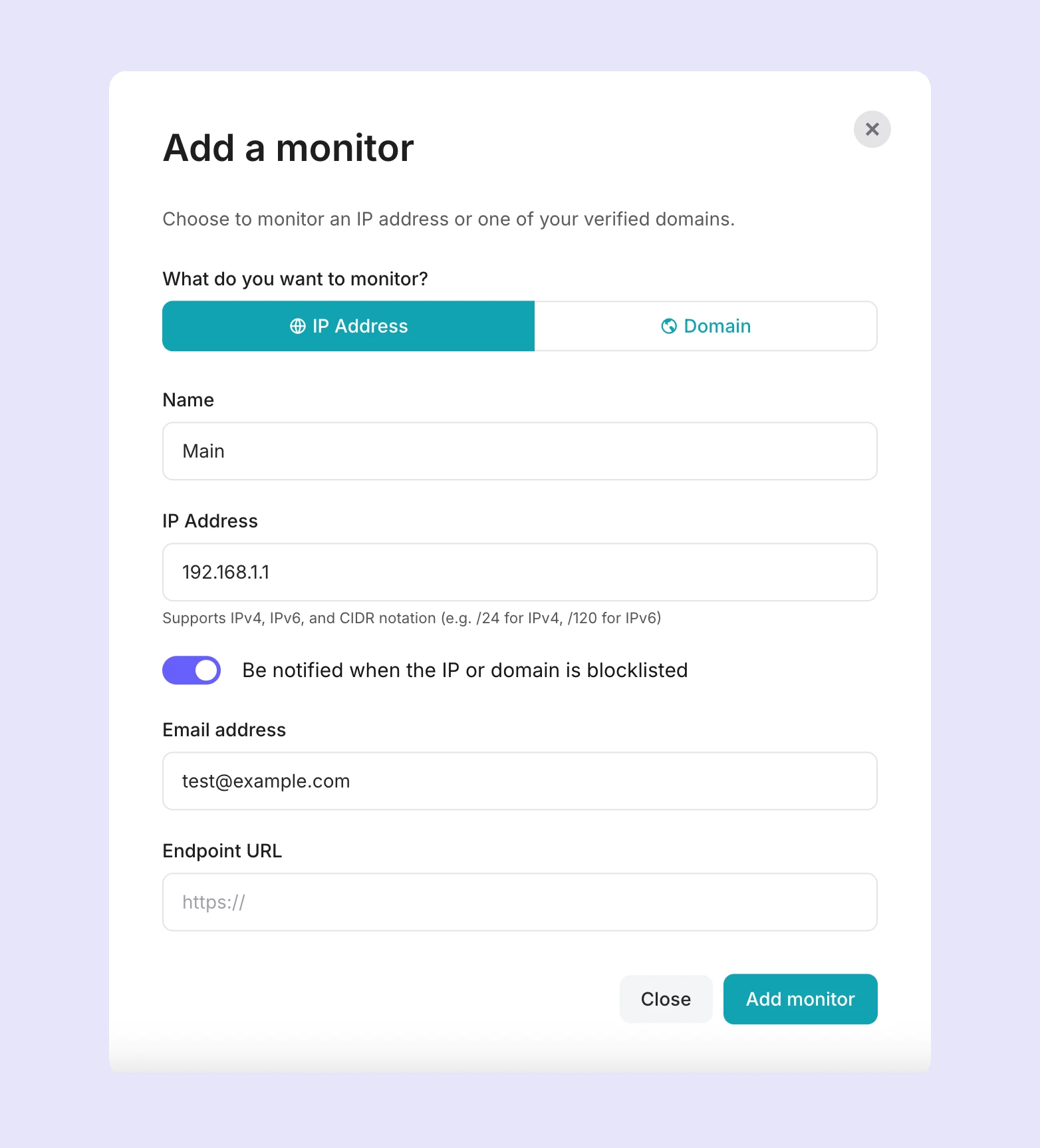
You can also enable the option to receive alerts about blocklisted IPs or domains, and enter an email address or endpoint URL to send the alerts to.
And that's it. The first check will start immediately, and it takes just a couple of minutes to complete.
Add your IPs and domains now
If you have a Professional or Enterprise plan, you can start monitoring your domains and IPs now. It takes just a minute to create a monitor and get the peace of mind of regular, automated blocklist checks. Professional plans can add up to 256 (checks every 6 hours), and Enterprise plans up to 1,024 (checks every 2 hours).