


MailerSend CLI: Send emails and manage your account from the terminal

When you’re already working in the terminal, switching contexts to manage other systems can feel like a drag. We get it, and we’re always looking for ways to reduce friction for the developers working with our platform.
And that’s why we’re happy to introduce the MailerSend CLI. It’s a fast, scriptable, developer-friendly way to manage your MailerSend account directly from the command line.
Whether you're managing domains, webhooks or templates, automating workflows, or sending emails, the CLI brings the capabilities of MailerSend to your terminal, making it easier to:
Integrate email sending into CI/CD and DevOps pipelines
Enhance repeatability by running consistent commands across environments
Automate email tasks and workflows
Run scheduled jobs
Manage environments during deployments
What you can do with the CLI (available commands)
Like our API and SDKs, the CLI gives you full access to MailerSend functionality:
Email: Send emails in multiple ways, including from a file, with a template, with tracking, and in bulk
Domains: Fetch domain details, add and verify domains, update domain settings, and more
Recipients: Fetch recipient details, a list of recipients, and delete a recipient
Sender identities: Create and manage your sender identities and fetch information about existing identities
Templates: Fetch and delete templates
Messages: Fetch message details and manage scheduled messages
Activity: List domain activity, filter by event, and fetch activity details
Analytics: Create analytics reports by date, country, and user agent
Webhooks: Create, manage, and view webhooks
Suppressions: View suppressions and manage blocklists, hard bounces, spam complaints, unsubscribes, and on-hold recipients
Inbound routes: Create, manage, and view inbound routes
API tokens: Create, manage, and view API tokens
Account users: Manage and view users and user invitations
SMTP users: Create, manage, and view SMTP users
Email verification: Verify a single email, asynchronously, or a list of emails, and view results and email lists
API quota: Check your remaining quota
SMS: Send an SMS, fetch a single or a list of messages, manage and view phone numbers, view SMS activity, manage and view recipients, manage inbound routes, and manage SMS webhooks
Interactive dashboard
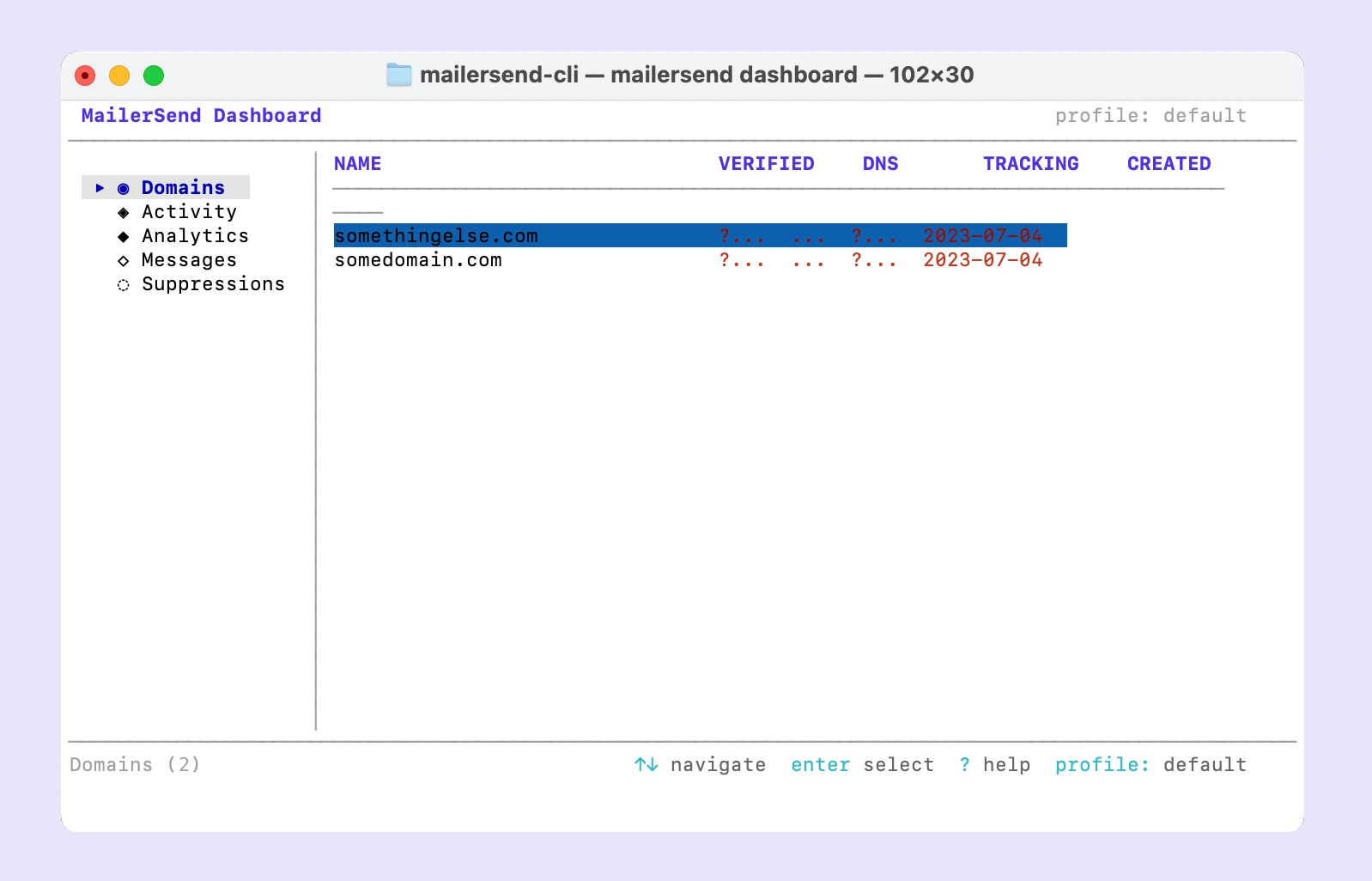
You can also launch the TUI dashboard to get a real-time overview of your account. Open the dashboard with the mailersend dashboard command, and you can view your domains, activity, analytics, messages, and suppressions.
How to get started
Install the MailerSend CLI via one of the available installation methods. For Homebrew:
brew install --cask mailersend/tap/mailersendYou can also download pre-built binaries for Linux, macOS, and Windows from GitHub. Then authenticate with OAuth (recommended) or API token.
To learn more about installing the CLI, authentication, managing profiles, and the available commands, check out our MailerSend CLI developer guide.
Try the MailerSend CLI now!
The MailerSend CLI is available to install now for all users. Combined with our API and SDKs, you have a complete toolkit to effortlessly integrate and manage your email operations. Give it a go and let us know what you think.