Guide to using Golang to send SMS
Whether you need SMS to optimize your internal communications, build functionality into your app (hello OTPs), or keep customers informed, an SMS API and Go SDK is a fast, reliable way to do it.
In this guide, we’ll go through what you need to get started with using Golang to send SMS, with code examples you can use and some interesting use cases.
What you need to send SMS with Golang
For this tutorial, we’re using the MailerSend SMS API, which is currently available in the U.S. and Canada, and the MailerSend Go SDK.
Prerequisites
An active MailerSend account on the Starter plan or above
A phone number. Accounts receive a free trial phone number that they can use to test out the SMS API. You can use this or purchase a phone number by going to Plan and billing and clicking the Add-ons tab. If you purchase a phone number, you will also need to verify it. Learn more about verifying a phone number
An API key with the correct permissions. Check out our guide on how to create and manage API keys
Basic knowledge of Go and Go installed on your machine
Try out MailerSend for free
Sign up free and test out our email API with a trial domain. Subscribe to a Free plan for 500 emails a month, or upgrade to get more sending volumes, features, and SMS.
How to send SMS with Golang
1. Create a new directory for your project and initialize a new module:
mkdir sms-go
cd sms-go
go mod init example.com/mailersend-sms
2. Install the MailerSend Go SDK:
go get github.com/mailersend/mailersend-go3. Configure your MailerSend API key as an environment variable or add it to a .env file.
export MAILERSEND_API_KEY="your_api_key"
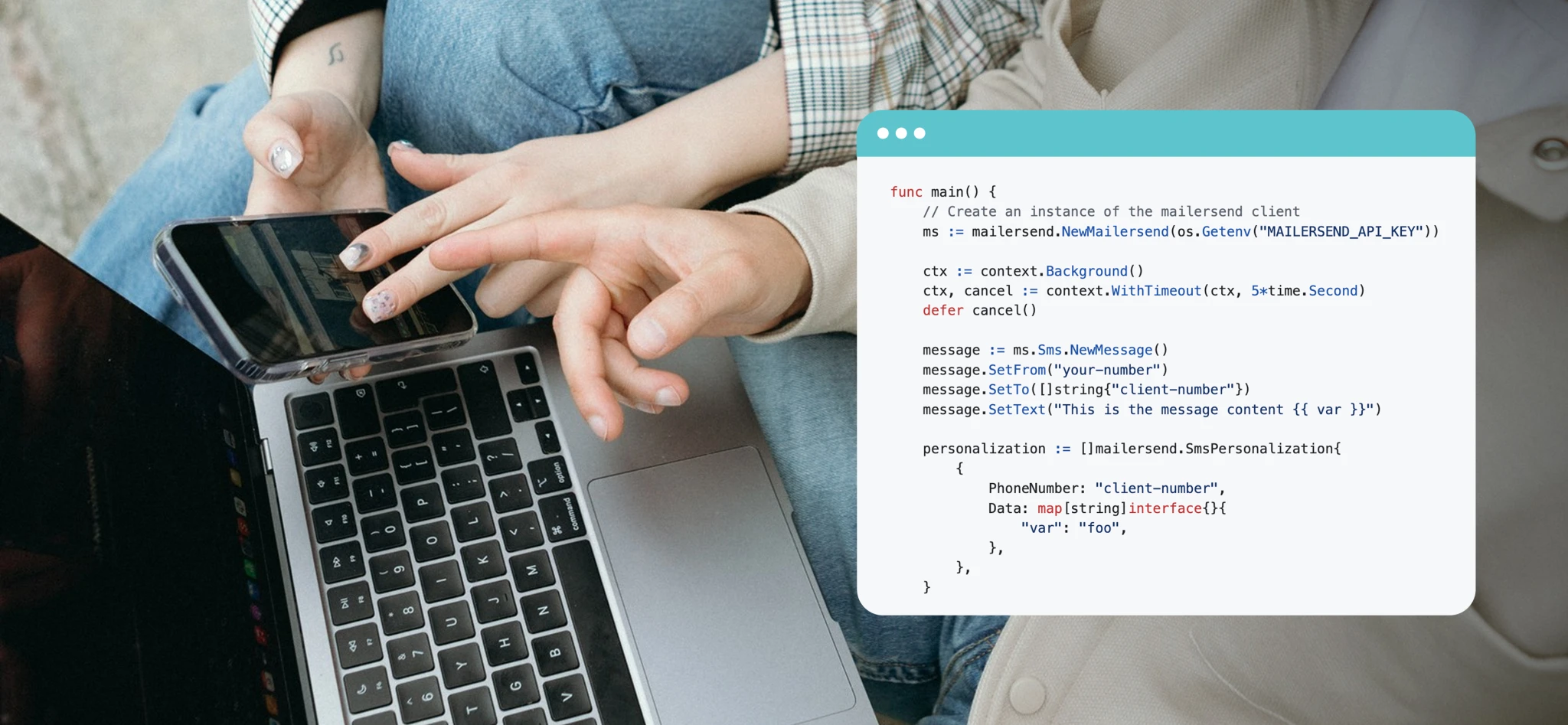
Now you’re all set up to send an SMS. In your main.go file, import the required packages, create an instance of the MailerSend client, and send the SMS.
Send a simple SMS message with Go
This example allows you to configure your From and To phone numbers and send a simple text message with personalization. We’ve also added some user-friendly error messages.
package main

import (
	"context"
	"fmt"
	"os"
	"time"

	"github.com/mailersend/mailersend-go"
)

func main() {
	apiKey := os.Getenv("MAILERSEND_API_KEY")
	if apiKey == "" {
		fmt.Println("ERROR: MAILERSEND_API_KEY environment variable is not set")
		os.Exit(1)
	}

	// Create an instance of the mailersend client
	ms := mailersend.NewMailersend(apiKey)

	// Set timeout context
	ctx := context.Background()
	ctx, cancel := context.WithTimeout(ctx, 5*time.Second)
	defer cancel()

	message := ms.Sms.NewMessage()
	message.SetFrom("your-number")               // replace with your number
	message.SetTo([]string{"recipient-number"})     // replace with recipient number
	message.SetText("Test message from MailerSend {{ var }}.") // replace with your message

	personalization := []mailersend.SmsPersonalization{
		{
			PhoneNumber: "recipient-number",
			Data: map[string]interface{}{
				"var": "foo",
			},
		},
	}

	message.SetPersonalization(personalization)

	// Send the SMS
	res, err := ms.Sms.Send(ctx, message)
	if err != nil {
		fmt.Printf("ERROR sending SMS: %v\n", err)
		os.Exit(1)
	}

	// Safety check
	if res == nil {
		fmt.Println("ERROR: Response is nil — SMS may not have been sent.")
		os.Exit(1)
	}

	// Extract the message ID header
	messageID := res.Header.Get("X-SMS-Message-Id")
	if messageID == "" {
		fmt.Println("WARNING: SMS sent but no Message ID found in response headers.")
	} else {
		fmt.Printf("SMS sent successfully! Message ID: %s\n", messageID)
	}
}
Send an OTP with Go
Aside from sending updates and notifications via SMS, OTP (One-time Password) text messages are a common use case. The example below gives you a starting point for sending an OTP message. As well as creating and sending the SMS, we’re also generating a random 6-digit OTP, adding it to the message with a variable, storing the OTP, and verifying it.
package main

import (
	"context"
	"fmt"
	"math/rand"
	"os"
	"sync"
	"time"

	"github.com/mailersend/mailersend-go"
)

// OTPRecord stores OTP and expiration
type OTPRecord struct {
	OTP       string
	ExpiresAt time.Time
}

// Thread-safe in-memory OTP database
var otpDatabase = struct {
	sync.RWMutex
	data map[string]OTPRecord
}{data: make(map[string]OTPRecord)}

// Generate a 6-digit OTP
func generateOTP() string {
	rand.Seed(time.Now().UnixNano())
	return fmt.Sprintf("%06d", rand.Intn(900000)+100000)
}

// Send OTP SMS using MailerSend variables
func sendOTP(ms *mailersend.Mailersend, to string) error {
	otp := generateOTP()
	expiresAt := time.Now().Add(5 * time.Minute)

	// Hard-coded sender number
	const fromNumber = "your-number"

	// Create SMS message using variable {{otp}}
	message := ms.Sms.NewMessage()
	message.SetFrom(fromNumber)
	message.SetTo([]string{to})
	message.SetText("Your verification code is: {{otp}}")

	// Personalization with variable
	personalization := []mailersend.SmsPersonalization{
		{
			PhoneNumber: to,
			Data: map[string]interface{}{
				"otp": otp, // This replaces {{otp}} in SetText
			},
		},
	}
	message.SetPersonalization(personalization)

	// Send SMS
	ctx, cancel := context.WithTimeout(context.Background(), 5*time.Second)
	defer cancel()

	res, err := ms.Sms.Send(ctx, message)
	if err != nil {
		return fmt.Errorf("error sending SMS: %v", err)
	}
	if res == nil {
		return fmt.Errorf("error: response is nil, SMS may not have been sent")
	}

	// Store OTP in placeholder database
	otpDatabase.Lock()
	otpDatabase.data[to] = OTPRecord{OTP: otp, ExpiresAt: expiresAt}
	otpDatabase.Unlock()

	fmt.Printf("SMS sent to %s. OTP: %s (expires in 5 minutes)\n", to, otp)
	return nil
}

// Verify OTP
func verifyOTP(userPhoneNumber, enteredOTP string) bool {
	otpDatabase.RLock()
	record, exists := otpDatabase.data[userPhoneNumber]
	otpDatabase.RUnlock()

	if !exists {
		fmt.Println("OTP not found or expired")
		return false
	}

	if time.Now().After(record.ExpiresAt) {
		fmt.Println("OTP expired")
		otpDatabase.Lock()
		delete(otpDatabase.data, userPhoneNumber)
		otpDatabase.Unlock()
		return false
	}

	if enteredOTP == record.OTP {
		fmt.Println("OTP verified successfully")
		otpDatabase.Lock()
		delete(otpDatabase.data, userPhoneNumber) // Remove after verification
		otpDatabase.Unlock()
		return true
	}

	fmt.Println("Invalid OTP")
	return false
}

func main() {
	apiKey := os.Getenv("MAILERSEND_API_KEY")
	if apiKey == "" {
		fmt.Println("ERROR: MAILERSEND_API_KEY environment variable not set")
		os.Exit(1)
	}

	ms := mailersend.NewMailersend(apiKey)

	// Example usage
	userPhoneNumber := "recipient-number" // Replace with recipient number

	// Send OTP
	if err := sendOTP(ms, userPhoneNumber); err != nil {
		fmt.Printf("Failed to send OTP: %v\n", err)
		return
	}

	// Simulate user entering OTP after 10 seconds
	time.Sleep(10 * time.Second)
	enteredOTP := "123456" // Replace with actual user input
	if verifyOTP(userPhoneNumber, enteredOTP) {
		fmt.Println("✅ Access Granted")
	} else {
		fmt.Println("❌ Access Denied")
	}
}
More use case ideas for sending SMSes from your Go app
Since so many of us are practically glued to our phones, it’s no surprise that transactional SMS has an extremely high open rate of 98%. With near-instant notifications and such high engagement, there are tons of ways you can use SMS to improve your communication, optimize internal processes, and enhance your customer and user experience.
SMS for SaaS products
| SMS for agencies
|
SMS for services/hospitality
| SMS for e-commerce
|
SMS for internal use
|
Best practices and troubleshooting for sending SMS with Go
1. Use asynchronous sending for high volumes of SMS
Transactional text messages should have near-instantaneous delivery, so if you’re dealing with high volumes of API calls, you’ll want to optimize your system to avoid blocking your request flow. Use go routines or worker pools to send SMS concurrently and achieve high throughput.
2. Ensure proper error handling and retries
Use clear success and error messaging, and implement failed message retries and error logging. This will allow for a more efficient sending workflow and help you identify sending issues quickly.
3. Use environment variables for sensitive data
Exposure of API keys is not as uncommon as you might think. Remember to always store your API keys and other authentication data as variables or using a secure secrets manager.
4. Respect provider rate limits
SMS providers implement rate limits to protect network infrastructure and prevent abuse and network spikes. This is done by limiting the number of SMS that can be sent per second. With MailerSend, you can send up to 10 SMSes per second. To respect these limits, you can implement rate limiting in your code:
rateLimiter := time.NewTicker(time.Second / 10) // 1 tick every 100ms = 10 SMS/sec
defer rateLimiter.Stop()

for _, msg := range messages {
    <-rateLimiter.C
    go sendSMS(msg.To, msg.Body)
}
5. Validate phone numbers before sending
Make sure you’re sending to real, valid phone numbers to avoid wasting your quotas, reducing failed messages, and ensuring a better customer experience. Phone numbers should use the E.164 format (+1234567890) and you can use Go’s regexp package to validate numbers as users enter them. Here’s a simple function to validate E.164 numbers:
package main

import (
	"fmt"
	"regexp"
)

var e164Regex = regexp.MustCompile(`^\+[1-9]\d{1,14}$`)

// IsE164 checks if a phone number matches strict E.164 format.
func IsE164(phone string) bool {
	return e164Regex.MatchString(phone)
}

func main() {
	tests := []string{
		"+14155552671",   // valid
		"+35799123456",   // valid
		"14155552671",    // invalid: no +
		"+012345",        // invalid: country code can't start with 0
		"+1234567890123456", // invalid: too long (>15 digits)
	}

	for _, t := range tests {
		fmt.Printf("%s → %v\n", t, IsE164(t))
	}
}
6. Ensure compliance and privacy
Unlike transactional email, to send transactional SMSes you need opt-in consent from recipients. You also need to include clear opt-out methods in each message, which will also help you to comply with regulations such as the TCPA (Telephone Consumer Protection Act) and the GDPR (General Data Protection Regulation).
7. Verify API keys and permissions
If you’re experiencing authorization issues you’ll want to check that your API is correct and has the right permissions for sending via the SMS API. In MailerSend, when you create an API token to send SMS, you should give the token Full access or Custom access with the Full access option selected for SMS.
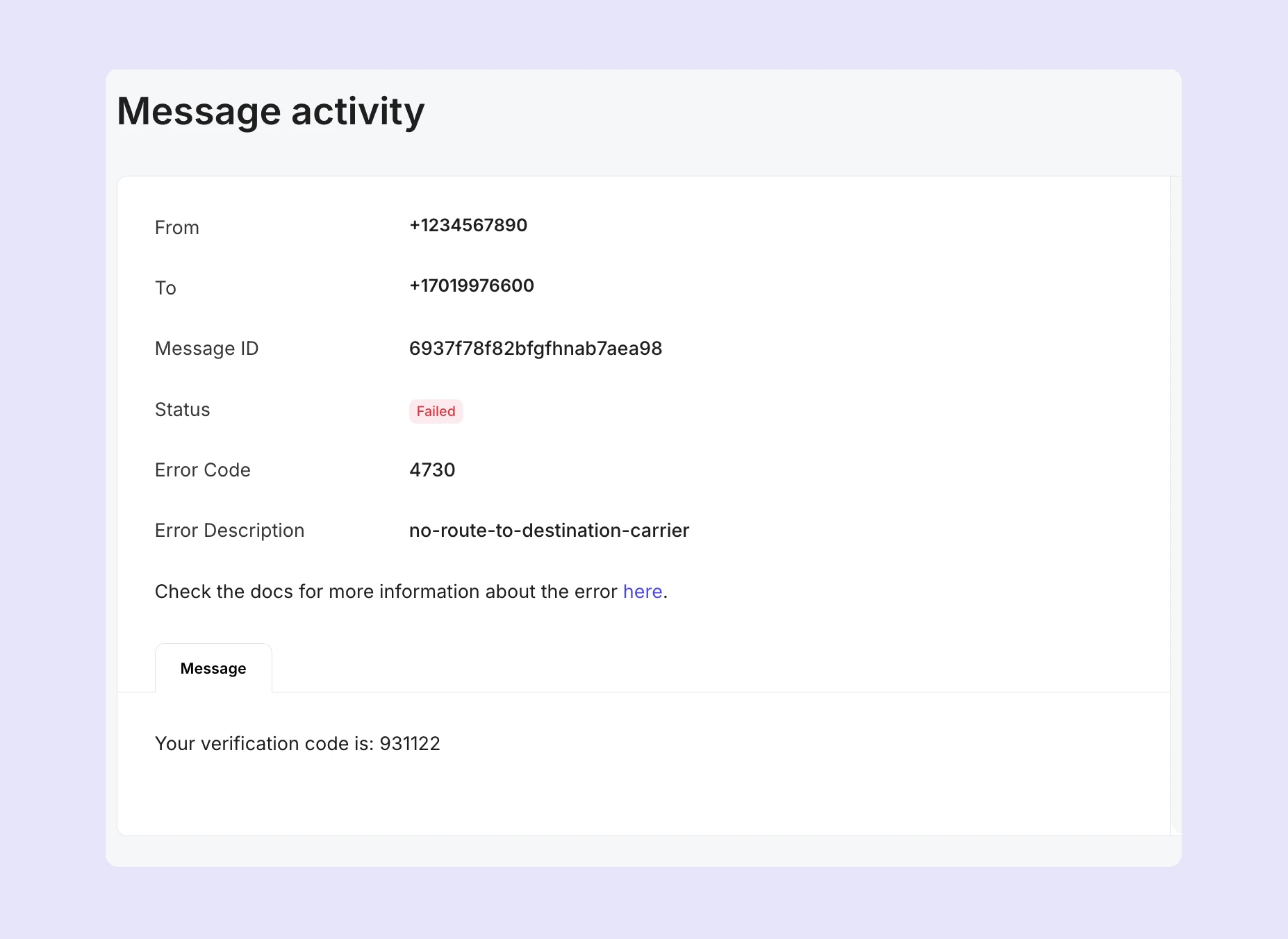
8. Capture carrier error codes and messages
If your messages are being sent but delivery is failing, you’ll want to see the reason that the carrier gave for the failure. In MailerSend, you can view the message status, error code and message in SMS activity.
9. Check content restrictions
If there doesn’t appear to be an issue with the number or carrier, delivery failure could be a result of restricted content in your message. SMS carriers implement strict content rules, which mean you should avoid using:
URL shorteners
Unregistered sender IDs or unverified numbers
Excessive capitalization or punctuation
Words such as “free”, “offer”, “discount”
Unsupported characters or emojis
Ready, set, Go
With the right setup, sending SMS with Golang is both straightforward and powerful. Combining Go’s simplicity with MailerSend’s robust API and Go SDK allows you to build reliable SMS features into your app, whether you need simple internal alerts, appointment reminders, or verifications. Just remember to stick to the best practices and follow SMS’s (slightly strict) sending restrictions, and you’ll be well on your way to delivering fast, reliable SMS that improves the user experience.