


Template translations are here: Translate with a click
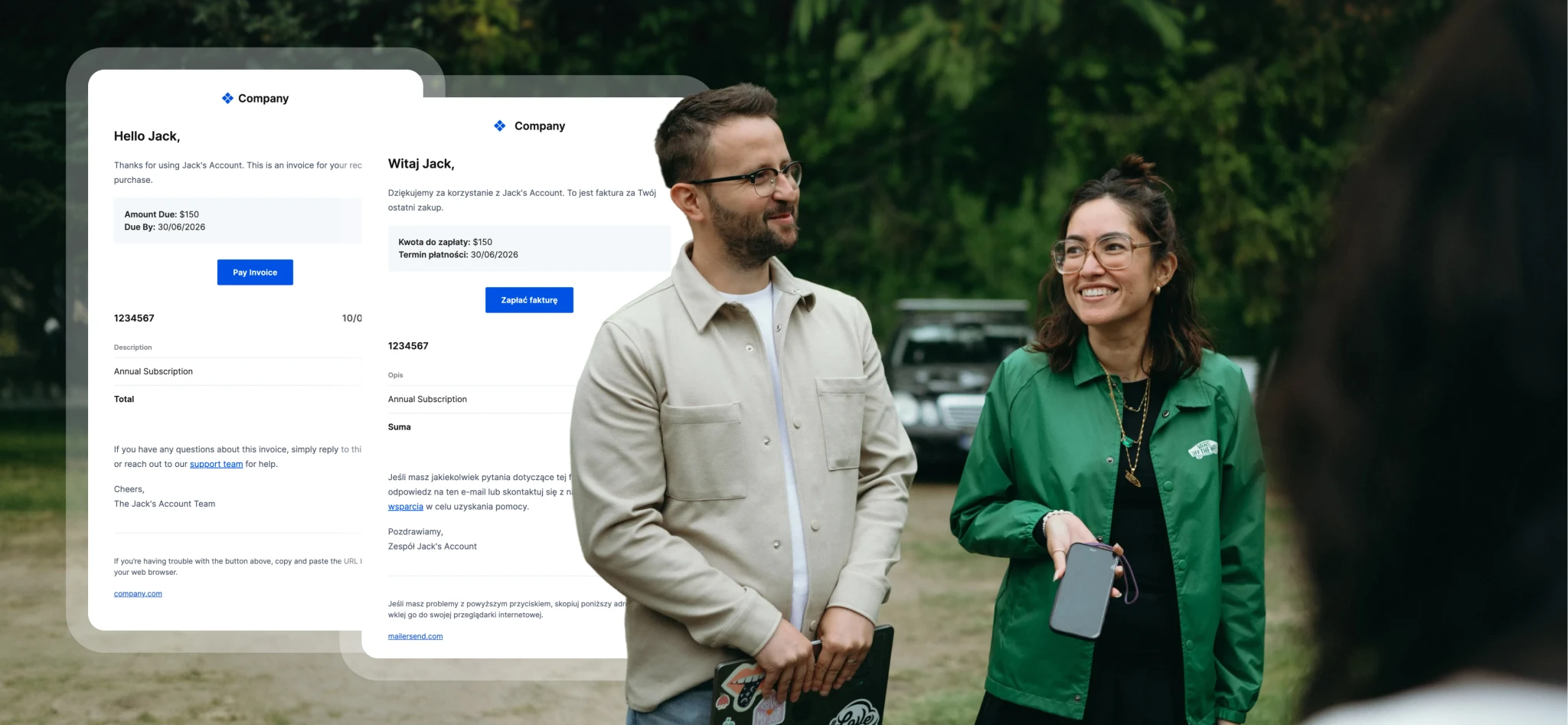
If you’ve ever needed to send the same email in multiple languages, you know how quickly maintenance can become a hassle. Creating multiple templates for the same email, using variables as a workaround, and keeping them all in sync take up valuable developer resources.
And it’s been one of our most-requested features, so we built a proper solution to make creating and managing multi-language templates a lot easier. Template translations are now available for Professional plans. Here’s an overview of the new translations tool.
What you can do with the new Translations feature
Translate templates in a click: Just choose the language, and MailerSend will complete the translation in seconds
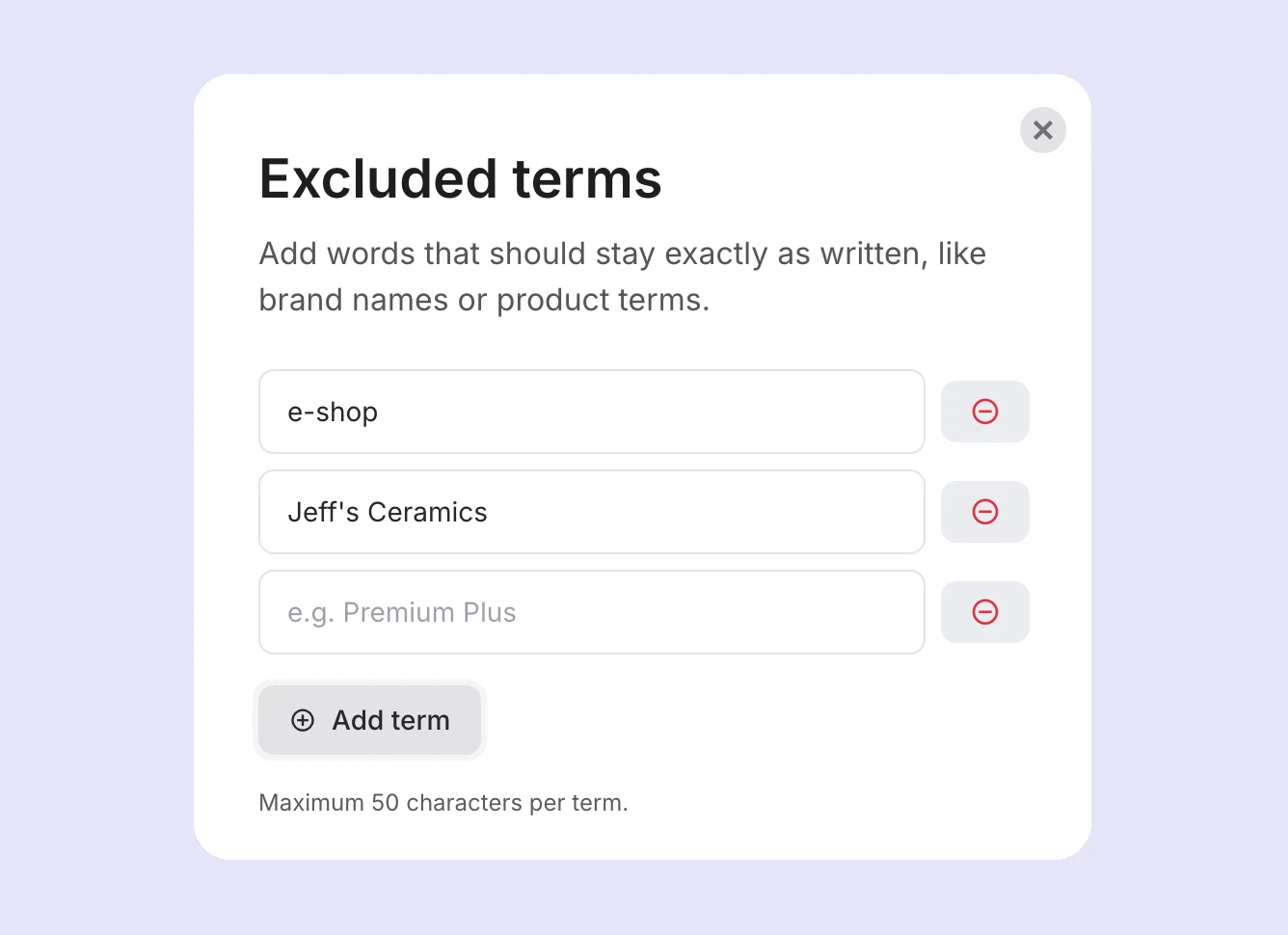
Exclude specific terms: Add up to 20 terms (up to 50 characters each) that you want to exclude from translation, like brand names, product names, or technical terms
Use the same variables across templates: Variables ({{variable}}) will be left untouched in your templates, so there’s no need to reconfigure personalization
Stay on top of template changes: When you make a change to a parent template, translated versions will be marked as outdated, so you can easily see which templates you need to re-translate
How it works
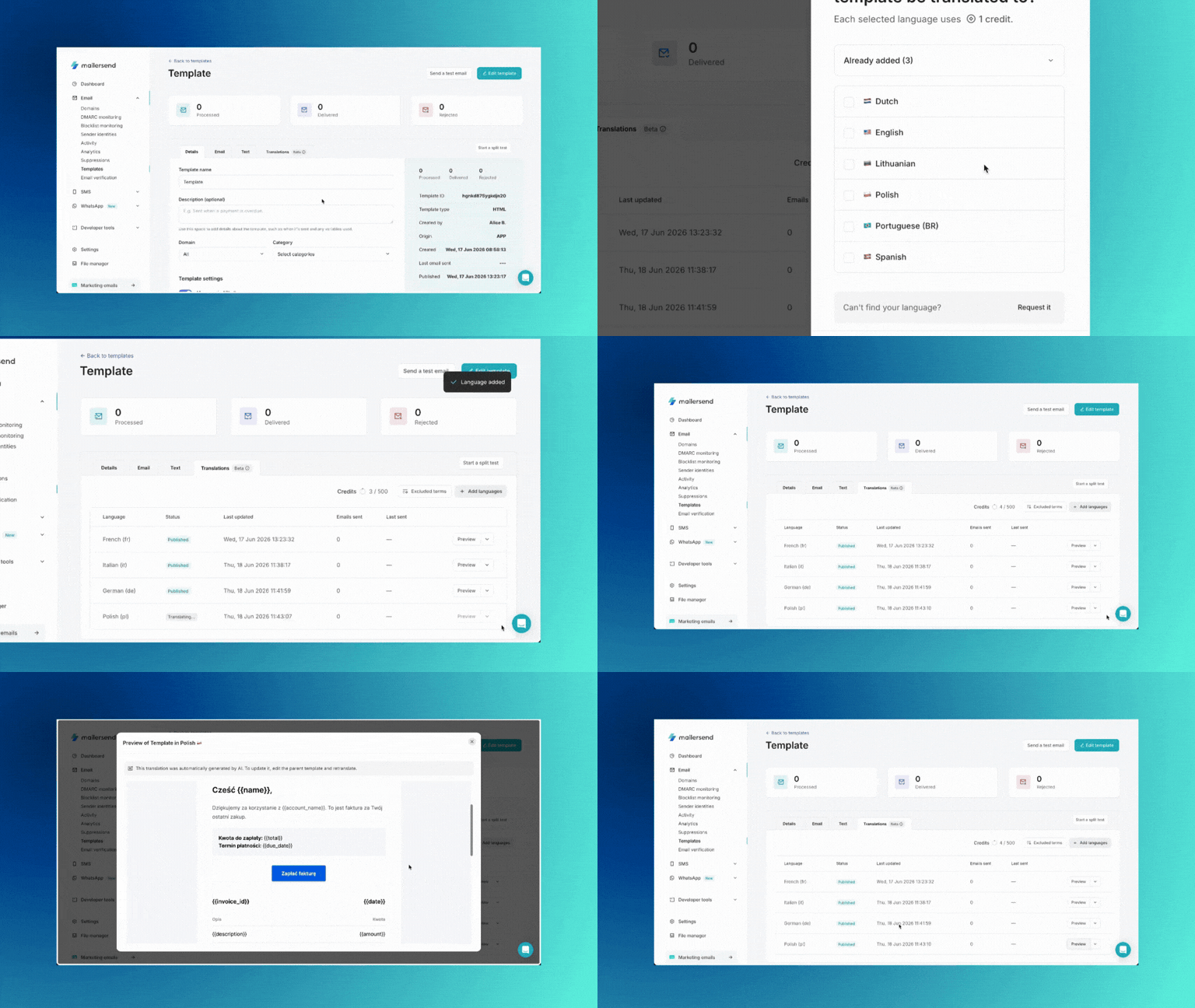
On the management page for each template, you’ll find a new Translations tab. Where you can create, view, and manage the template’s translations.
To create a translation, all you need to do is click Add languages, select the language you want to translate to, and click Translate. MailerSend will translate the template using our AI-powered translator. It takes just seconds for the translation to complete, so you can start sending right away.
Check out our help guide to learn more about using the templates translation feature!
Sending a translated template with the API
There’s no need for multiple template IDs: use the same ID for all languages and simply add in the language parameter to your API call to define which language version should be used.
"template_id": "{Your_Template_ID}",
"language": "nl"
Learn more about the values and behavior in our template translations help guide and developer documentation.
Supported languages
We’re launching with 9 languages based on popular demand, and we’re planning to release more languages in the future. For now, you can create translations for:
English
French
German
Spanish
Portuguese
Italian
Dutch
Lithuanian
Polish
Don't see a language you need? You can request a new language directly from the Translations tab by clicking Add languages and then Request it in the Can't find your language? message. We'll review all requests and add languages based on demand.
Excluded terms
In the Translations tab, you’ll see a button for Excluded terms. This is where you can add any words or phrases with a maximum of 50 characters to be excluded from translation.
To add an excluded term, click the button, type the word or phrase into the field, and click Add term. Once you’ve added all of the terms you want to exclude, click Save.
Editing templates
When you edit a parent template using one of the builders (drag & drop, HTML, or rich-text), the translations will no longer be in sync and will be marked as outdated.
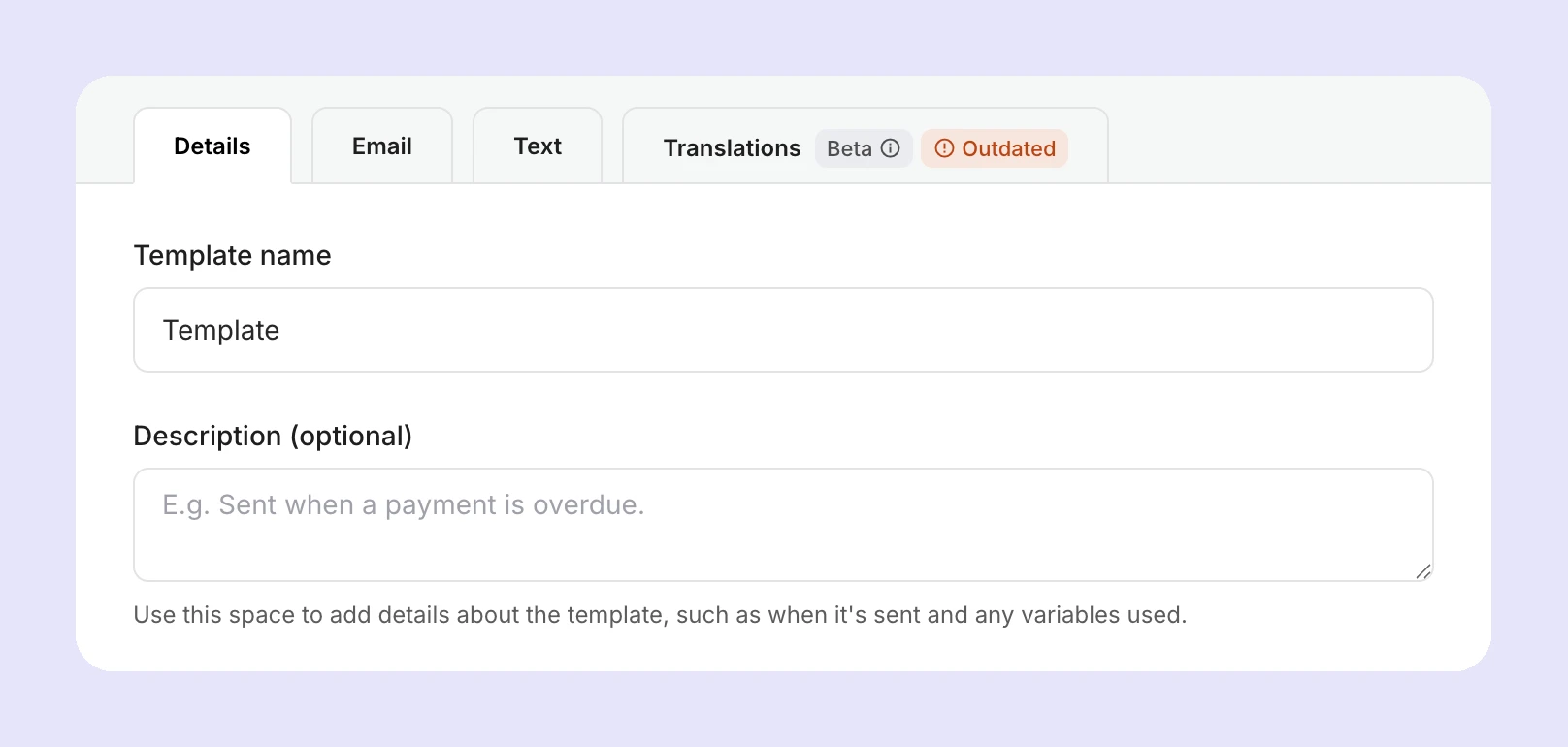
You can view the status of each translation in the Translations tab and re-translate each language individually. You’ll also see a message and the option to re-translate all languages at once.
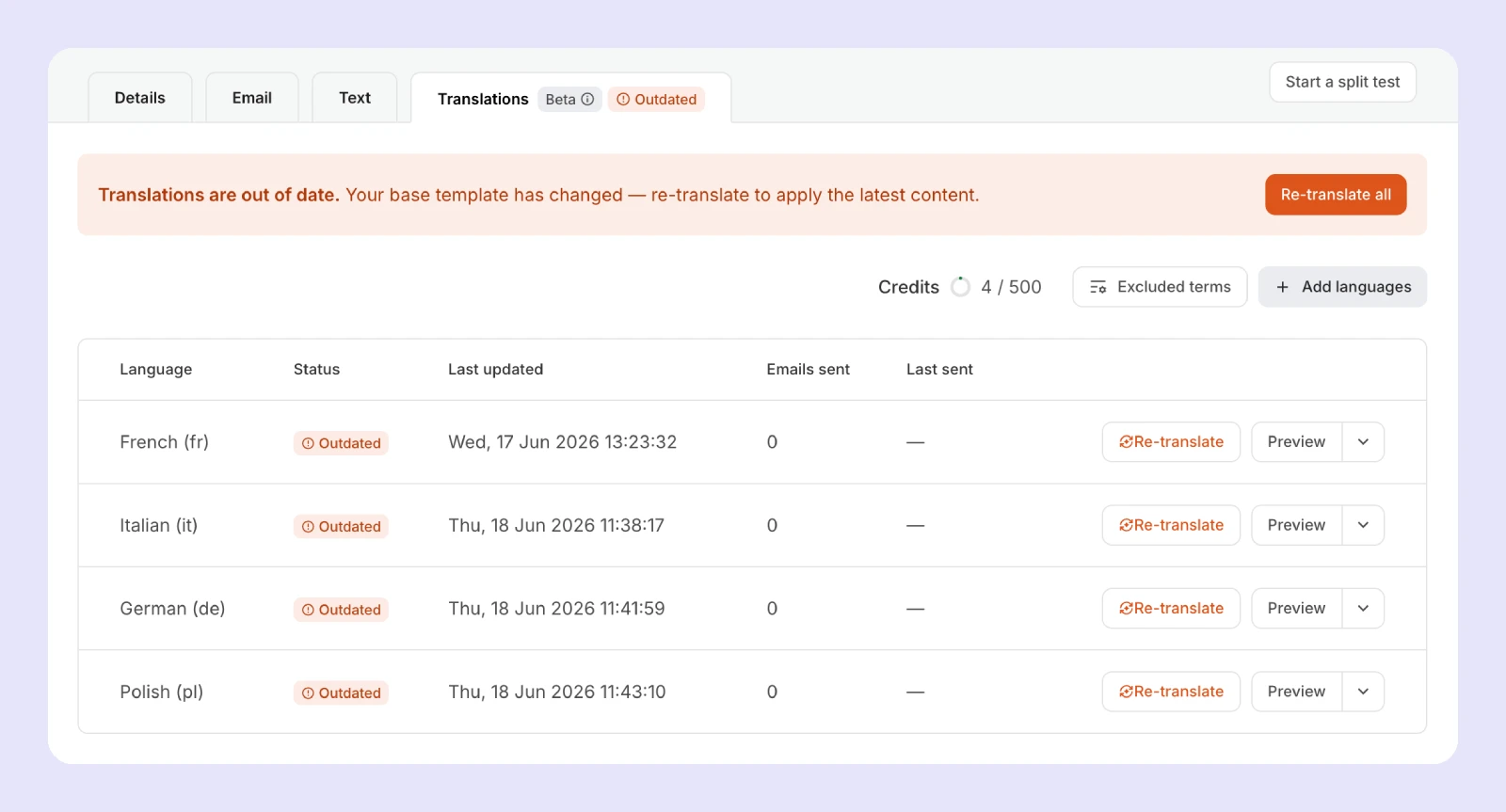
For now, translations are one-directional, meaning that you can only edit the parent template. This helps to keep the relationship between the parent template and translations clean and predictable.
What's next?
No more workarounds or maintaining separate templates per language. The translation feature gives you a simple, team-friendly way to manage multilingual templates without involving engineering every time you need to make an edit.
We’re already working on expanding the capabilities of the feature, with 2-way syncing, auto-syncing on parent template edits, activity tracking per locale, and more in the pipeline. Give it a go and remember to share your feedback and suggestions on our feature request page!